> ## Documentation Index
> Fetch the complete documentation index at: https://knowledge.komo.tech/llms.txt
> Use this file to discover all available pages before exploring further.
# TikTok Card
> Instructions on how to embed TikTok videos in your Engagement Hub.
## Watch it come to life
## What is it?
Share TikTok videos on your Hub.
## Things to note
* Only **Public** TikTok videos can be embedded.
* Only individual videos can be embedded - not entire accounts.
## How do I build one?
* [Step 1: Add a TikTok Embed card to your hub](#step-1-add-a-tiktok-embed-card-to-your-hub)
* [Step 2: Paste the link to the card](#step-2-paste-the-link-to-the-card)
* [Step 3: Publish your card](#step-3-publish-your-card)
### Step 1: Add a TikTok Embed card to your Hub
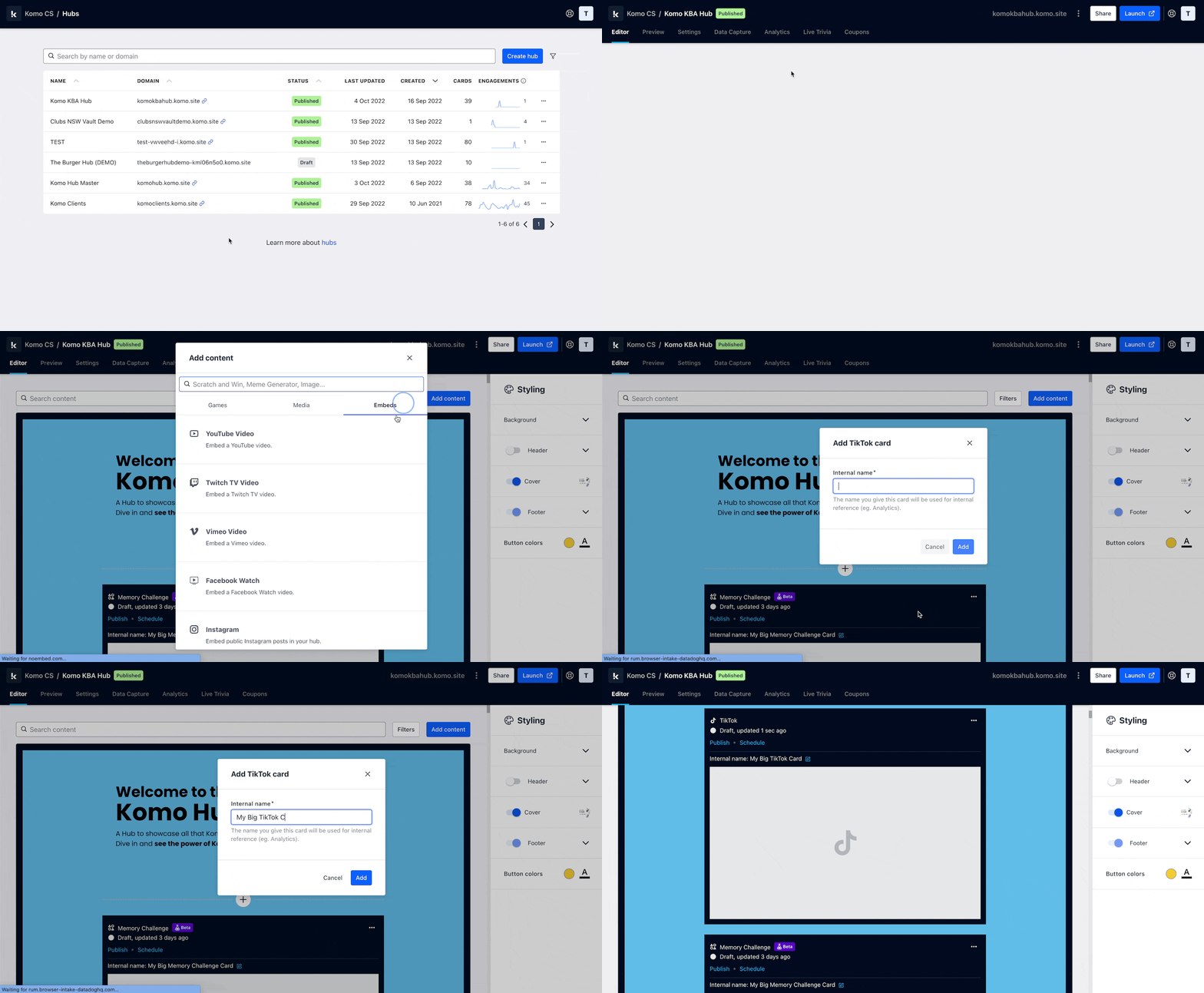 * Navigate to your **Engagement Hub**.
* Once there, click **Add content**, from here select **Embeds** and then **TikTok**.
* You will then see your new card has been added to your Hub.
### Step 2: Paste the link to the card
* Navigate to your **Engagement Hub**.
* Once there, click **Add content**, from here select **Embeds** and then **TikTok**.
* You will then see your new card has been added to your Hub.
### Step 2: Paste the link to the card
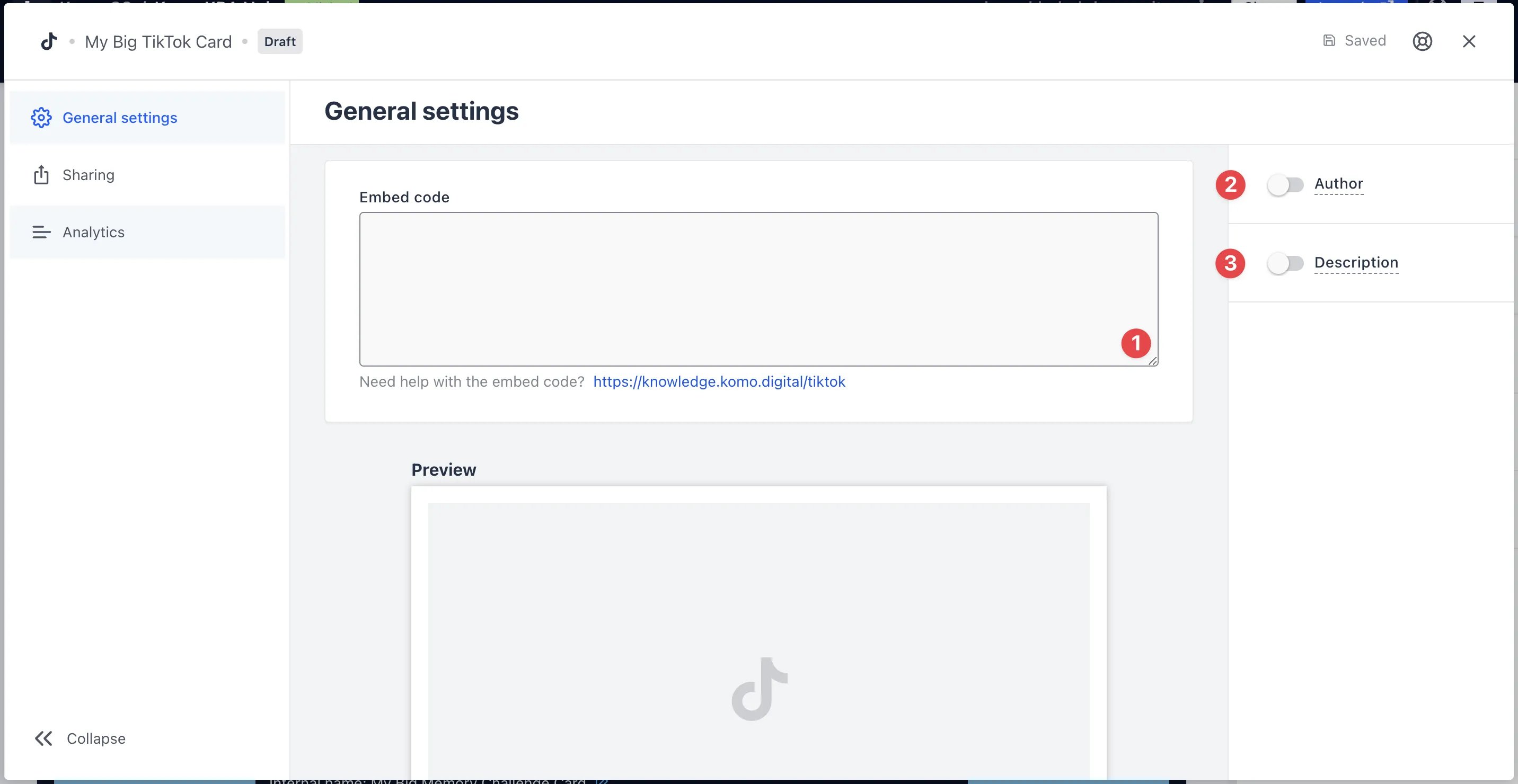 * Clicking on **TikTok** will open the editing module.
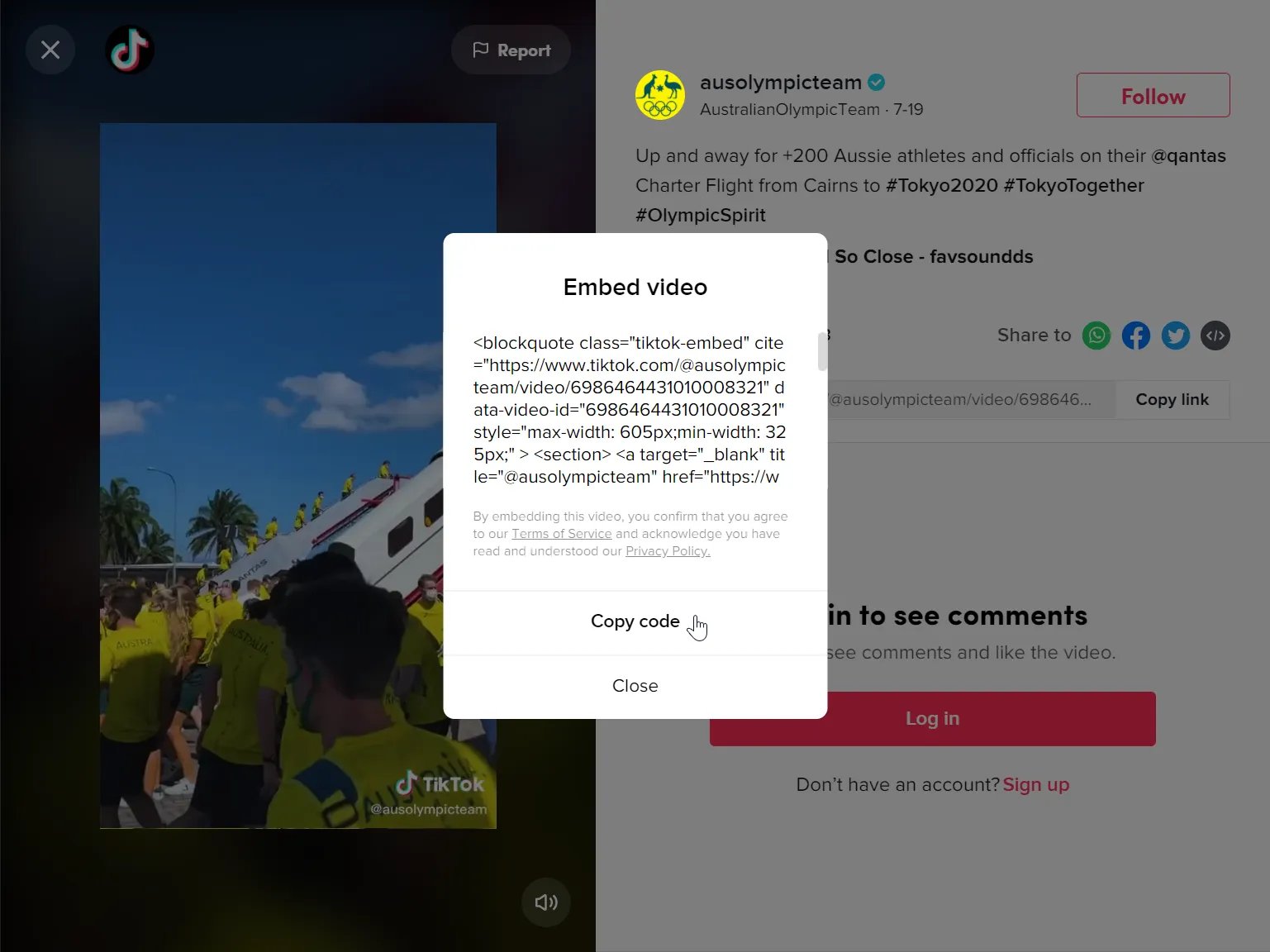
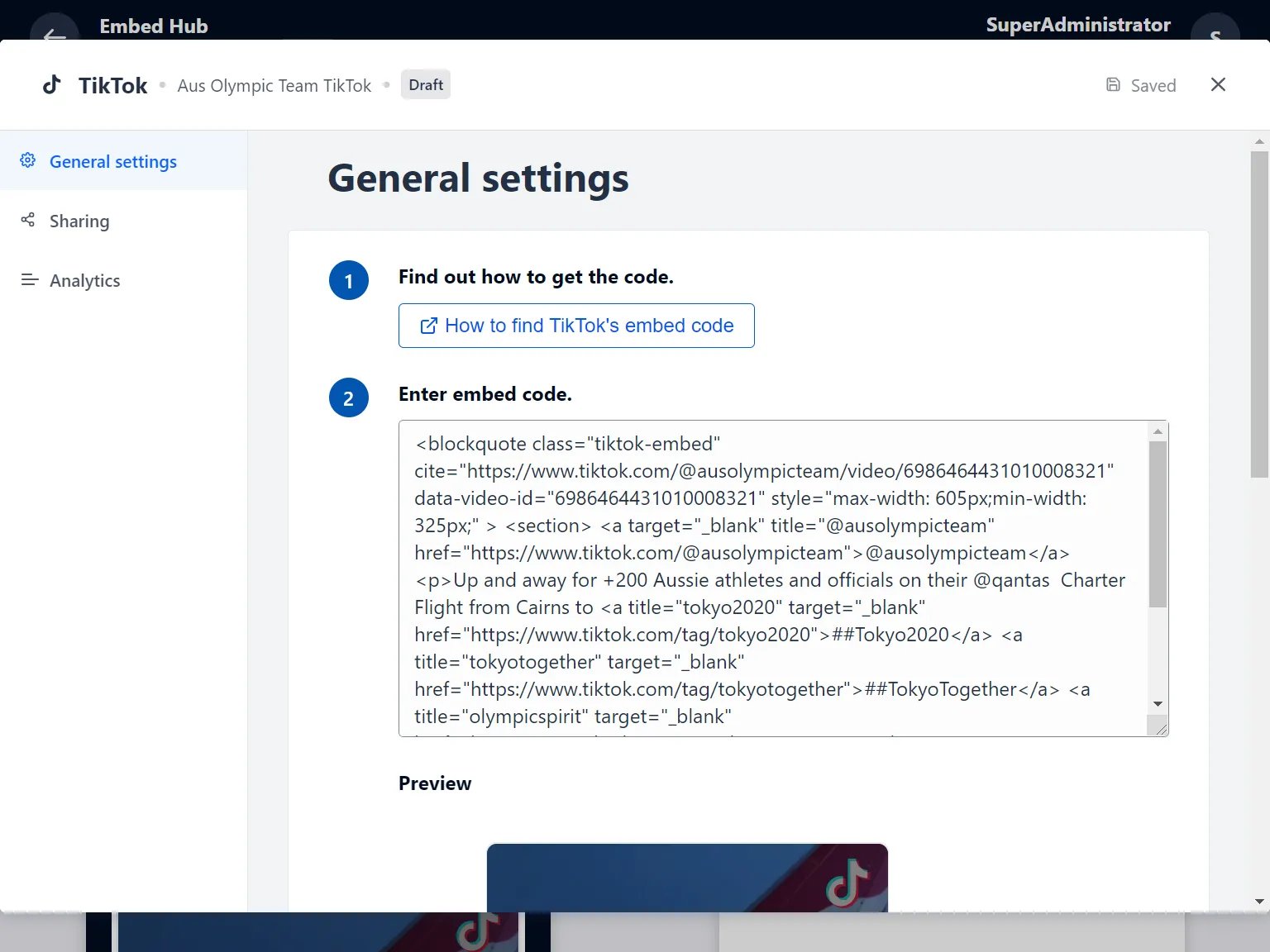
* **(1) Get the embed code** and paste it here and a preview will appear below.
Click on the video you want to open it up.
* Clicking on **TikTok** will open the editing module.
* **(1) Get the embed code** and paste it here and a preview will appear below.
Click on the video you want to open it up. 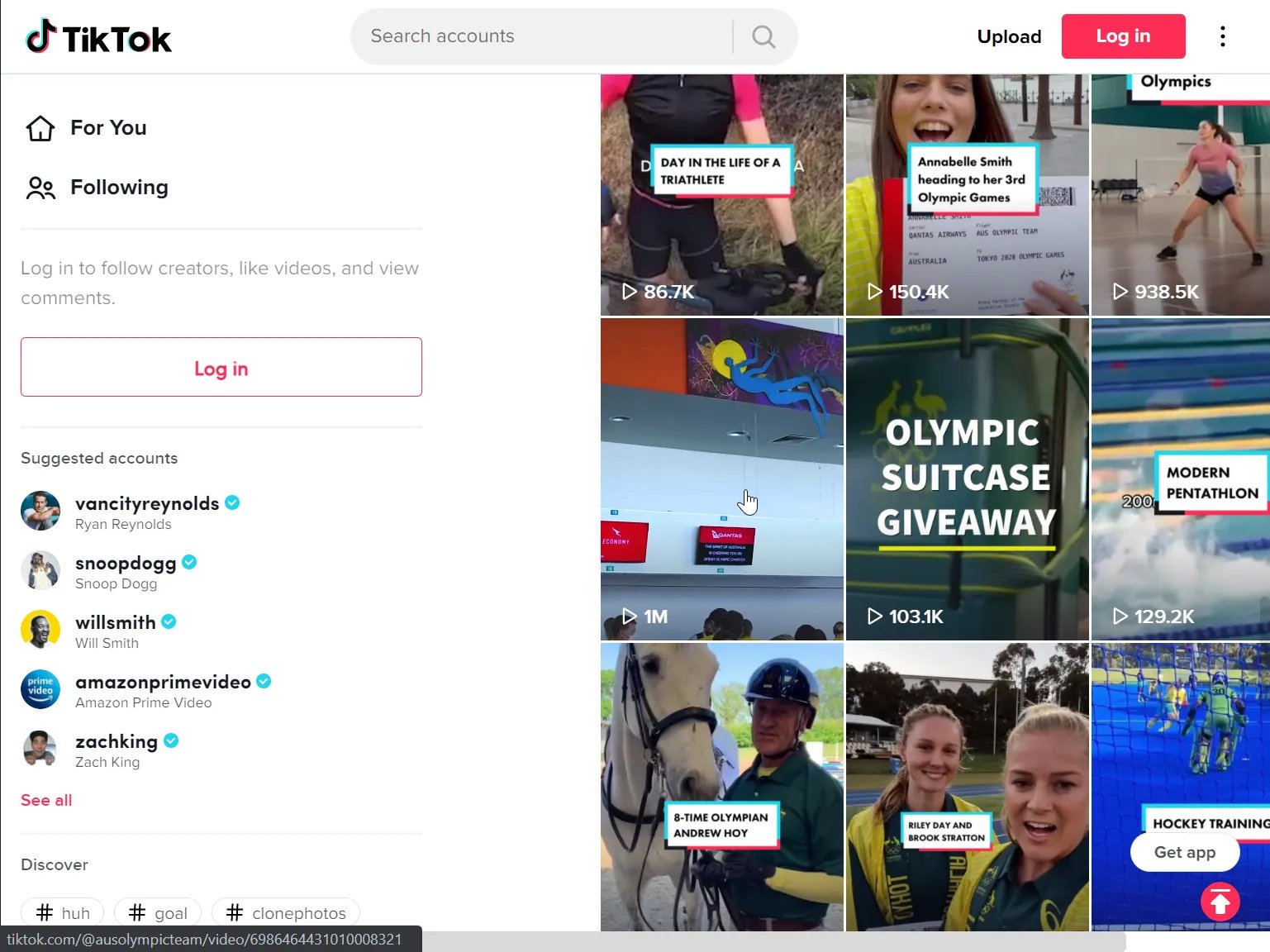
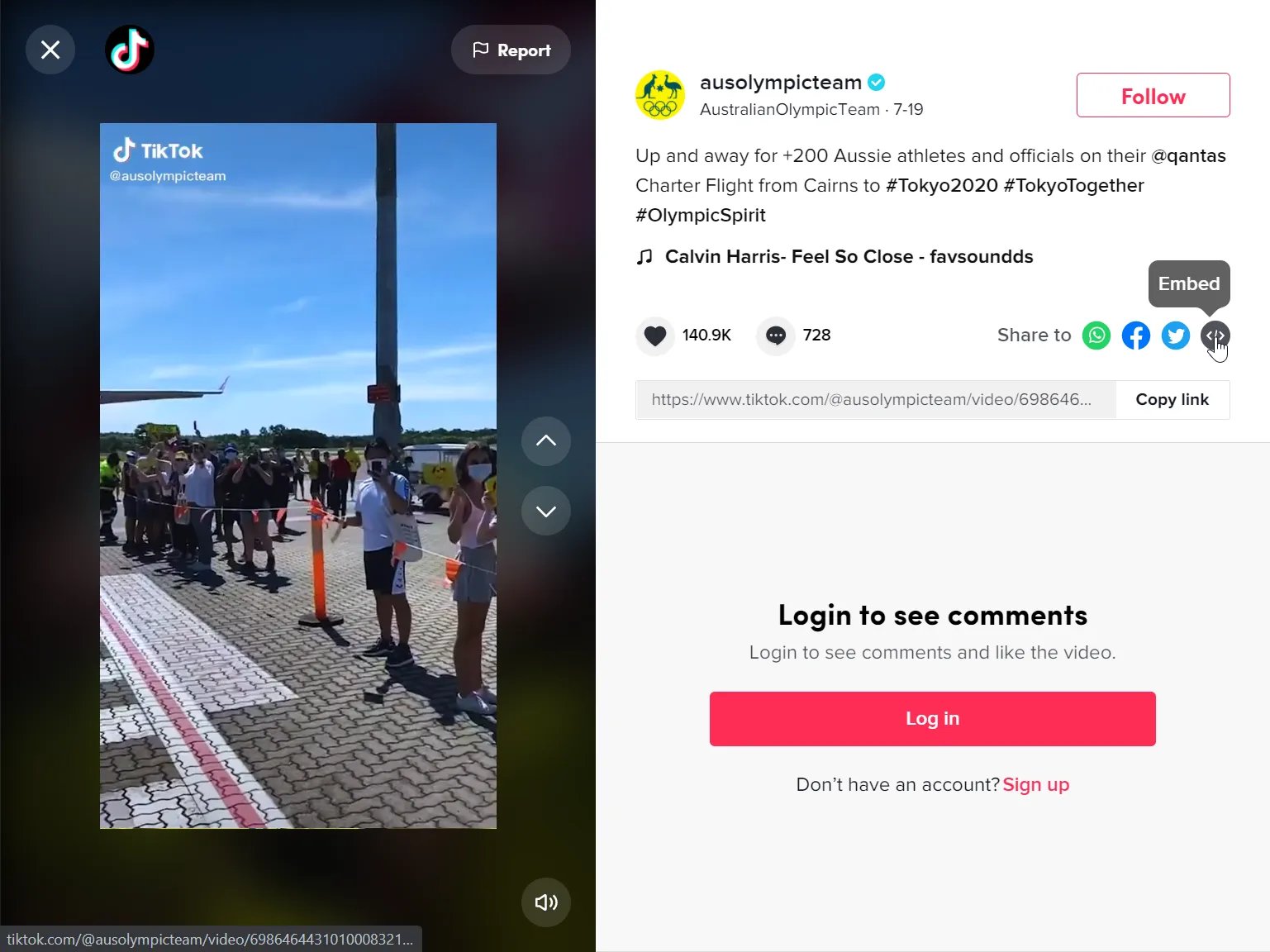
 * **(2)** You can add an **author** tag by displaying the brand or person who's responsible for the card content.
* **(3)** Add a **description** to the card.
### Step 3: Publish your card
* **(2)** You can add an **author** tag by displaying the brand or person who's responsible for the card content.
* **(3)** Add a **description** to the card.
### Step 3: Publish your card
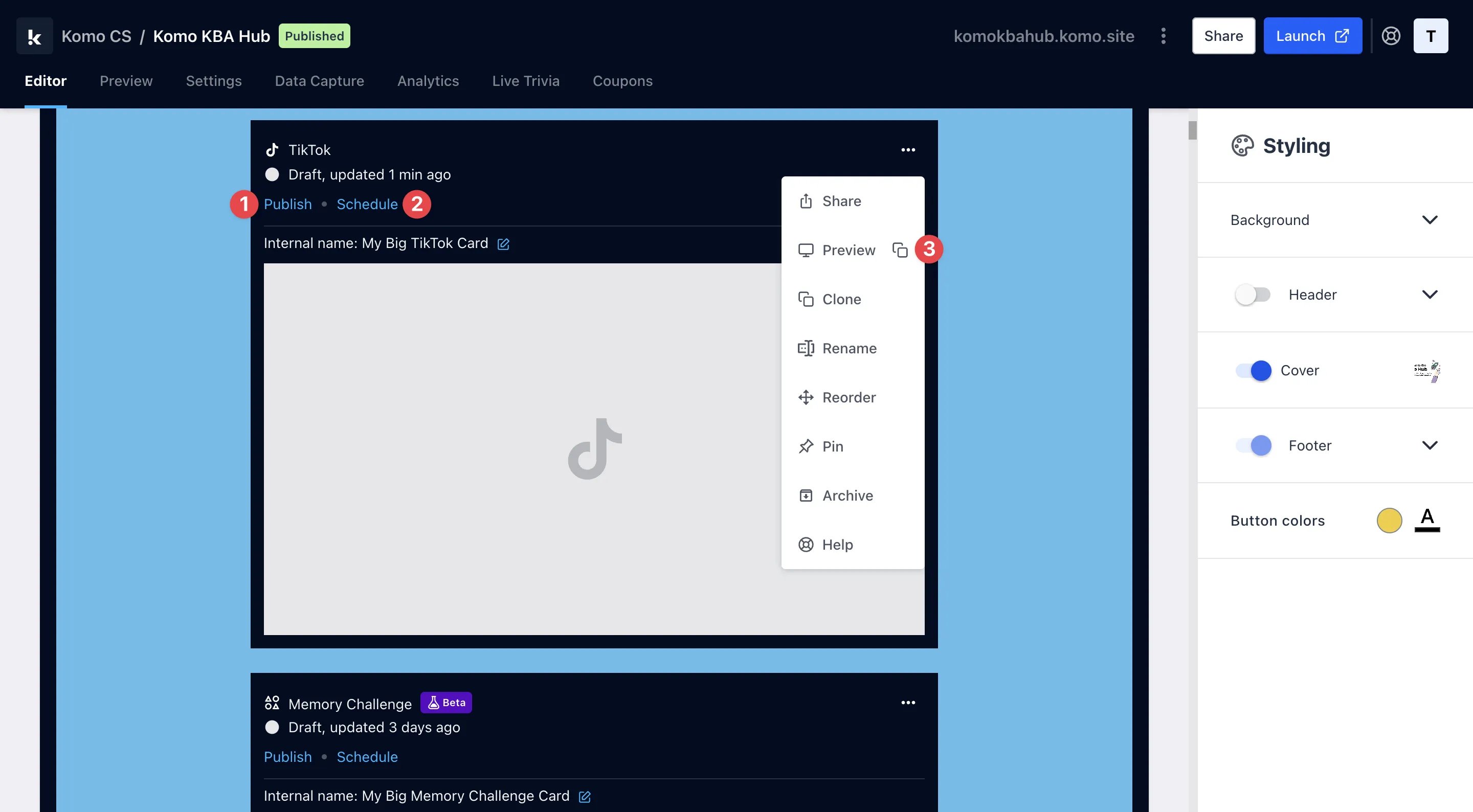 **Once you've completed all of these steps and are happy with all the aspects, it's time to get your card live!**
* **(1)** **Publish** your card manually and instantly for the world to see.
* **(2)** **Schedule** your card to be published and unpublished at set dates and times.
* **(3)** Click on **...** to **Preview** and interact with the card on the front end from a user's perspective before publishing it.
All competition entries will be recorded and will impact the card analytics.
**Once you've completed all of these steps and are happy with all the aspects, it's time to get your card live!**
* **(1)** **Publish** your card manually and instantly for the world to see.
* **(2)** **Schedule** your card to be published and unpublished at set dates and times.
* **(3)** Click on **...** to **Preview** and interact with the card on the front end from a user's perspective before publishing it.
All competition entries will be recorded and will impact the card analytics.