> ## Documentation Index
> Fetch the complete documentation index at: https://knowledge.komo.tech/llms.txt
> Use this file to discover all available pages before exploring further.
# Branching Logic
> Segment your audience and provide them with a personalized experience using branching logic.
## What is it?
Branching logic personalizes the user's experience by rerouting the user to different questions within the card based on their response to a previous question. Branching logic can be added to Quiz, Personality Quiz and Multi-Poll cards.
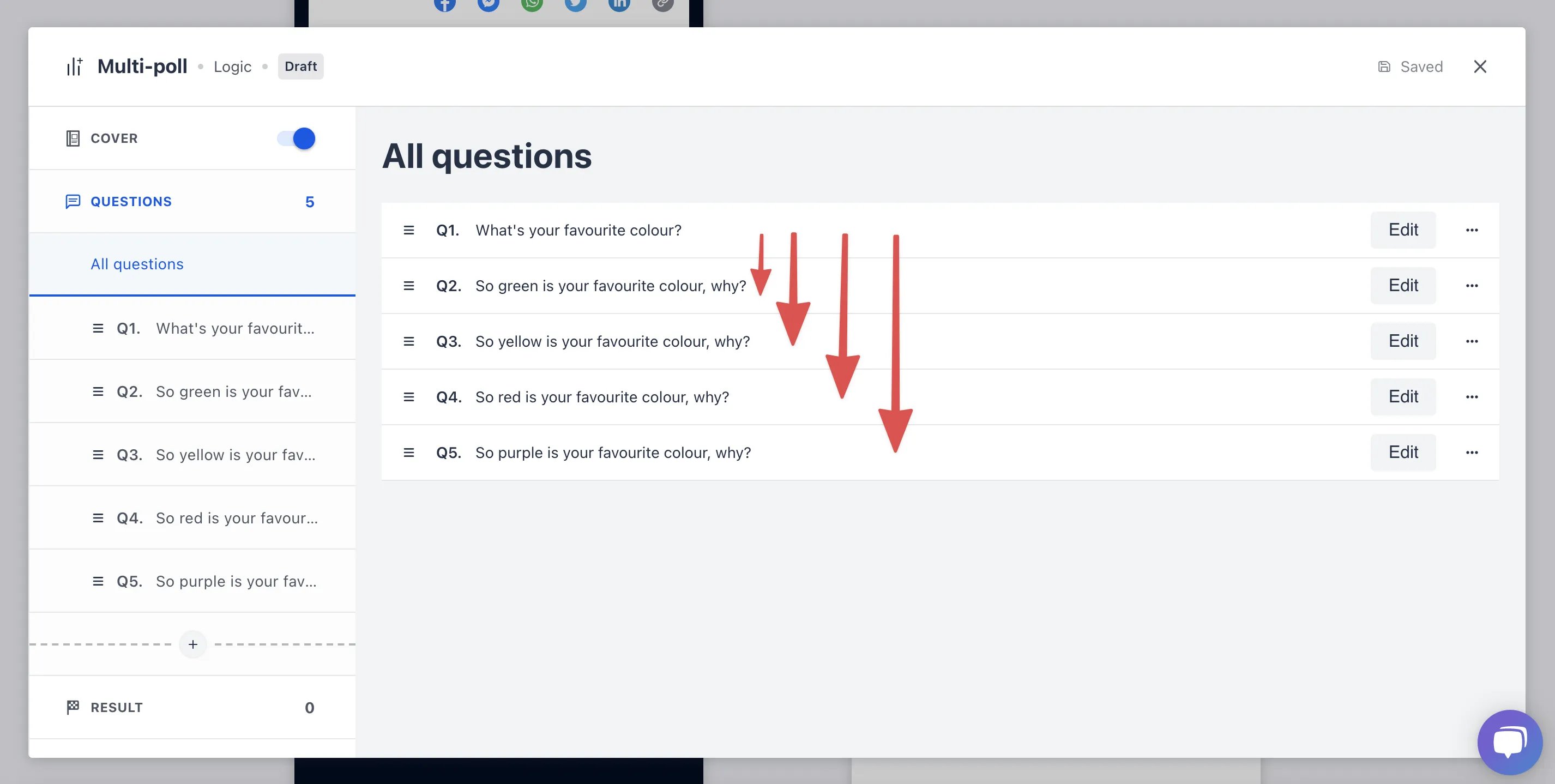
For example, based on whether the user answers green, yellow, red or purple they will be redirected to a different question, providing a more personalized card experience.
 ## How do I use it?
* [Step 1: Click add logic jump](#step-1-click-add-logic-jump)
* [Step 2: Add your logic](#step-2-add-your-logic)
### Step 1: Click add logic jump
## How do I use it?
* [Step 1: Click add logic jump](#step-1-click-add-logic-jump)
* [Step 2: Add your logic](#step-2-add-your-logic)
### Step 1: Click add logic jump
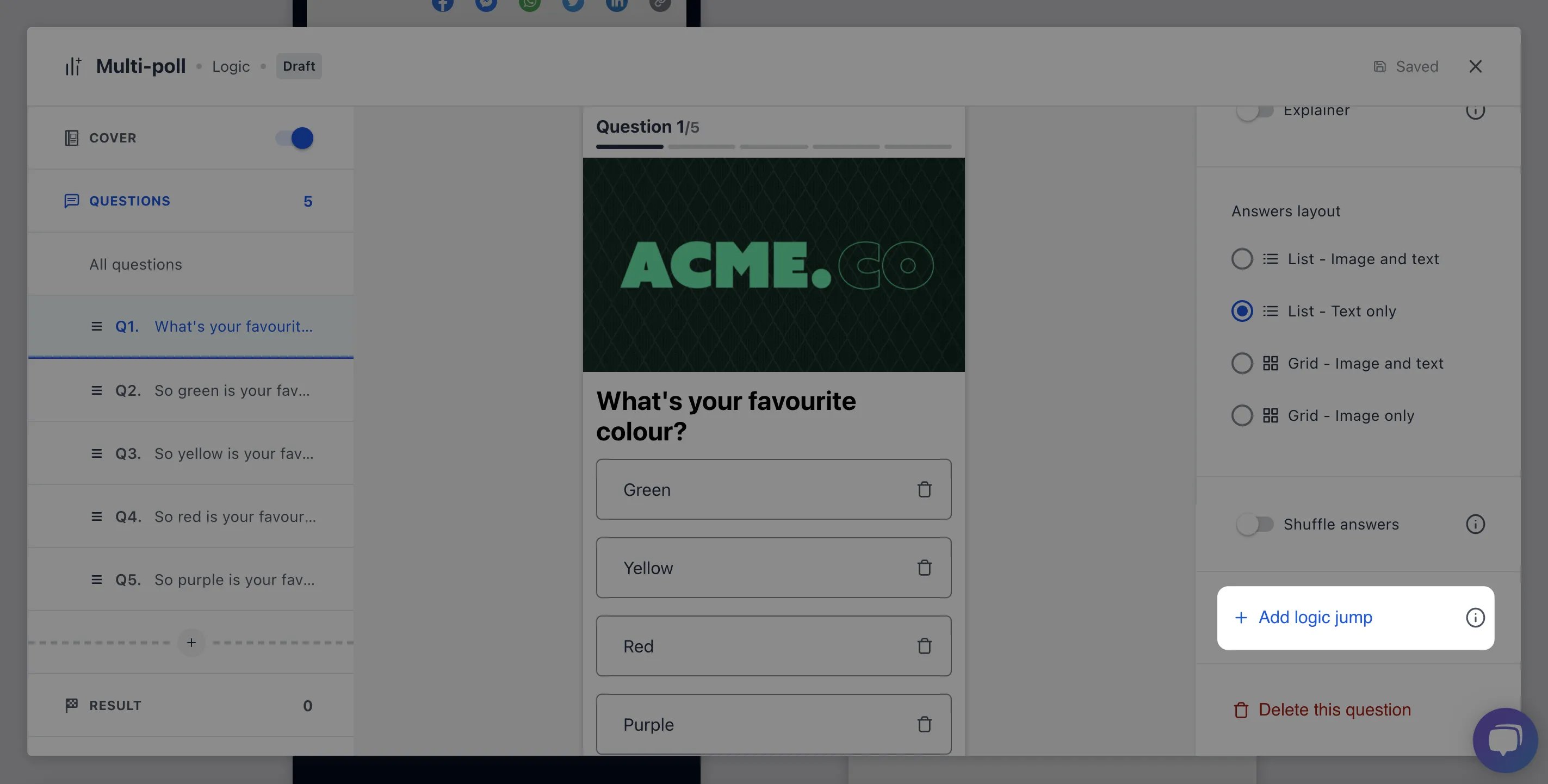 * Navigate to your question and select **Add logic jump**
### Step 2: Add your logic
* Navigate to your question and select **Add logic jump**
### Step 2: Add your logic
 * For each of the different responses designate which question users will be redirected to
* If you wish to end the logic sequence select **Configure all options** and then **End quiz**
* Click **Update** to save your changes
* For each of the different responses designate which question users will be redirected to
* If you wish to end the logic sequence select **Configure all options** and then **End quiz**
* Click **Update** to save your changes