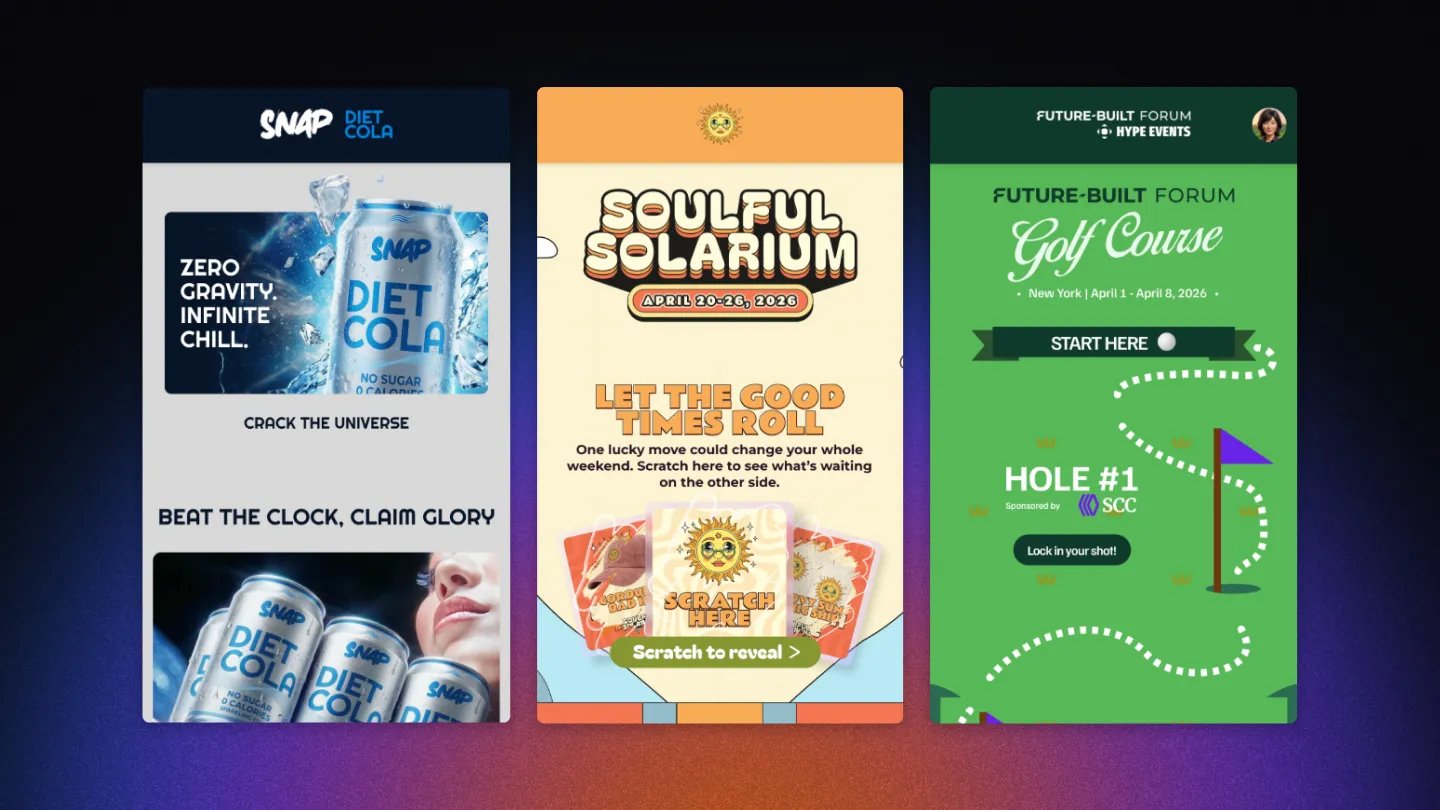
What is it?
Your Engagement Hub is more than just a collection of Cards—it’s a digital canvas! While our standard templates are designed for ease of use, you can move beyond the traditional “grid” look to create seamless, high-end designs that feel like a bespoke website. By leveraging Manual Transparency and Custom Dimensions, your content can “float” and integrate directly into your Hub’s background.Achieving a Seamless Look with Transparency
To make your Cards feel like a natural part of the Hub background rather than a separate box, you can manually adjust the card background color to be transparent.Card background transparency is currently supported on the following cards:
We are actively rolling out transparency support to even more card types soon!
How to execute this:
- Prepare your Assets: Design your Card Cover in a tool like Figma or Photoshop and export it as a transparent PNG.
- Upload to Komo: Navigate to your Card > Cover tab and upload your image.
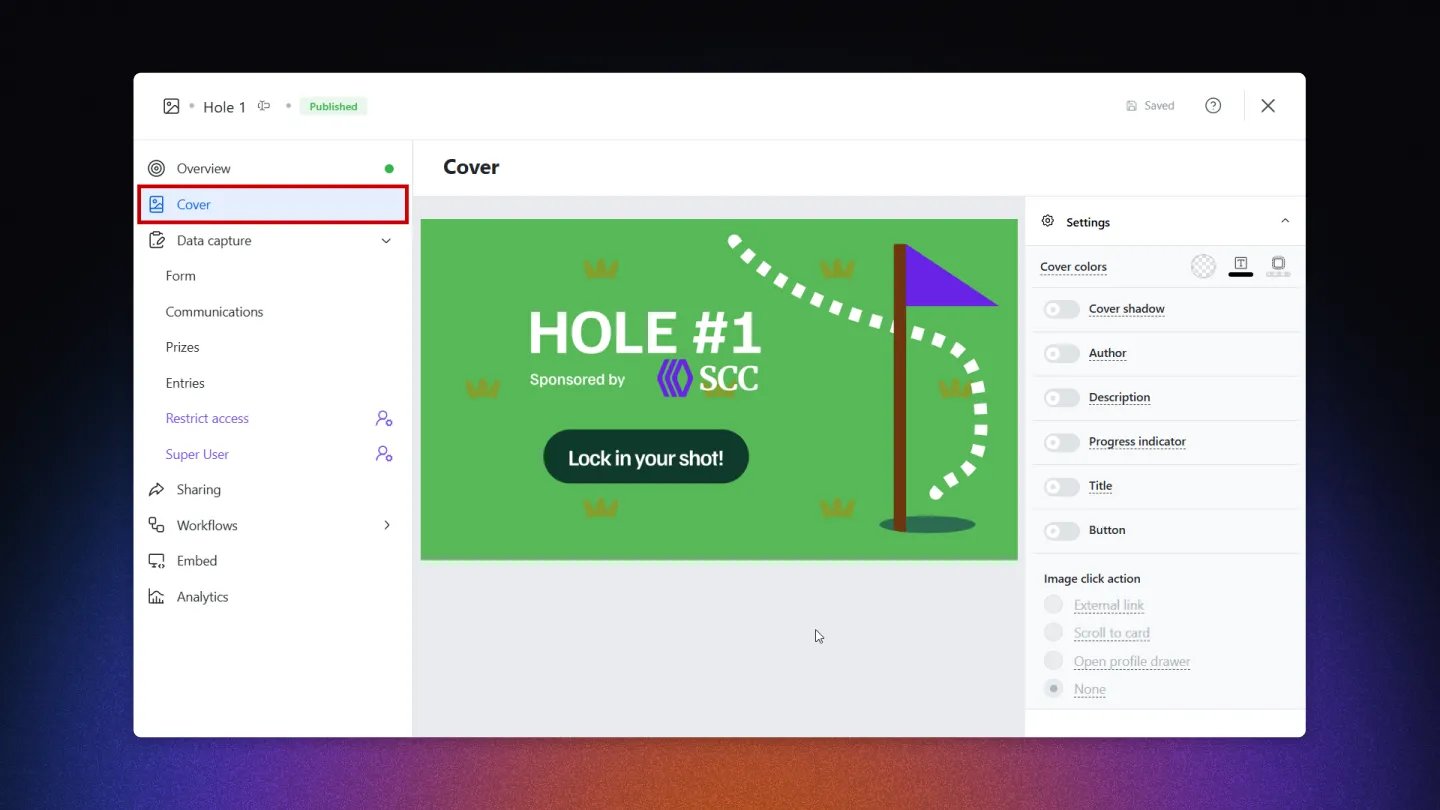
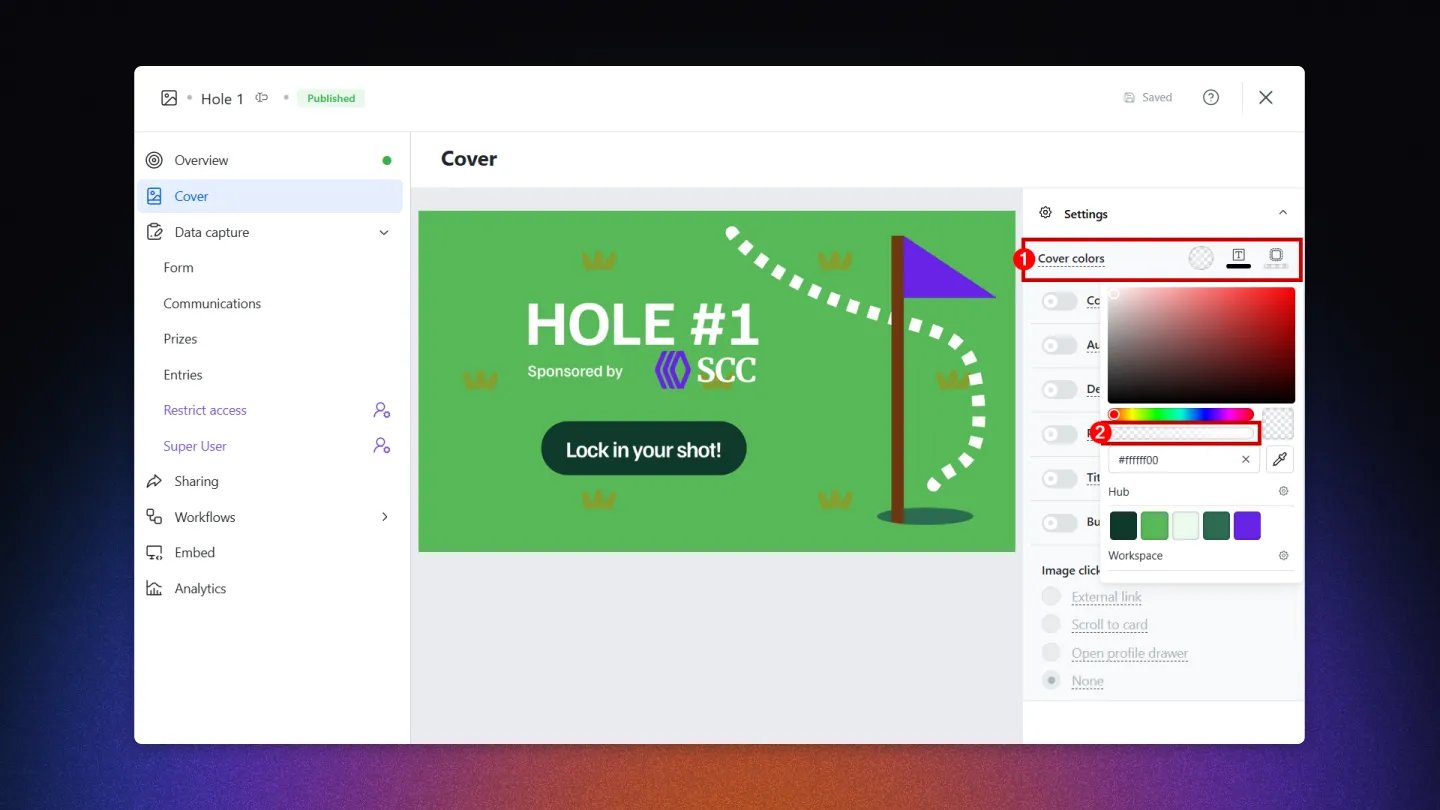
- Adjust Cover Colors: In the Cover tab, click on the (1) Cover colors selector. Use the (2) transparency slider (or enter a hex code with 0% opacity) to remove the solid background color. This allows your PNG and the Hub background to blend seamlessly.
Breaking the Grid: Custom Card Dimensions
Your Card Covers don’t have to be limited to standard rectangular dimensions! The Komo platform supports assets that break the mold:- Vertical Overhang: You can upload Card Covers that are significantly taller than the suggested dimensions. This allows you to create “pillar” cards or long visual elements that draw the user’s eye down the page.
- Irregular Shapes: By using a transparent PNG on a taller canvas, you can make cards appear as circles, waves, or diagonal “burst” elements that overlap the Hub background.
The “Clean Canvas” Checklist
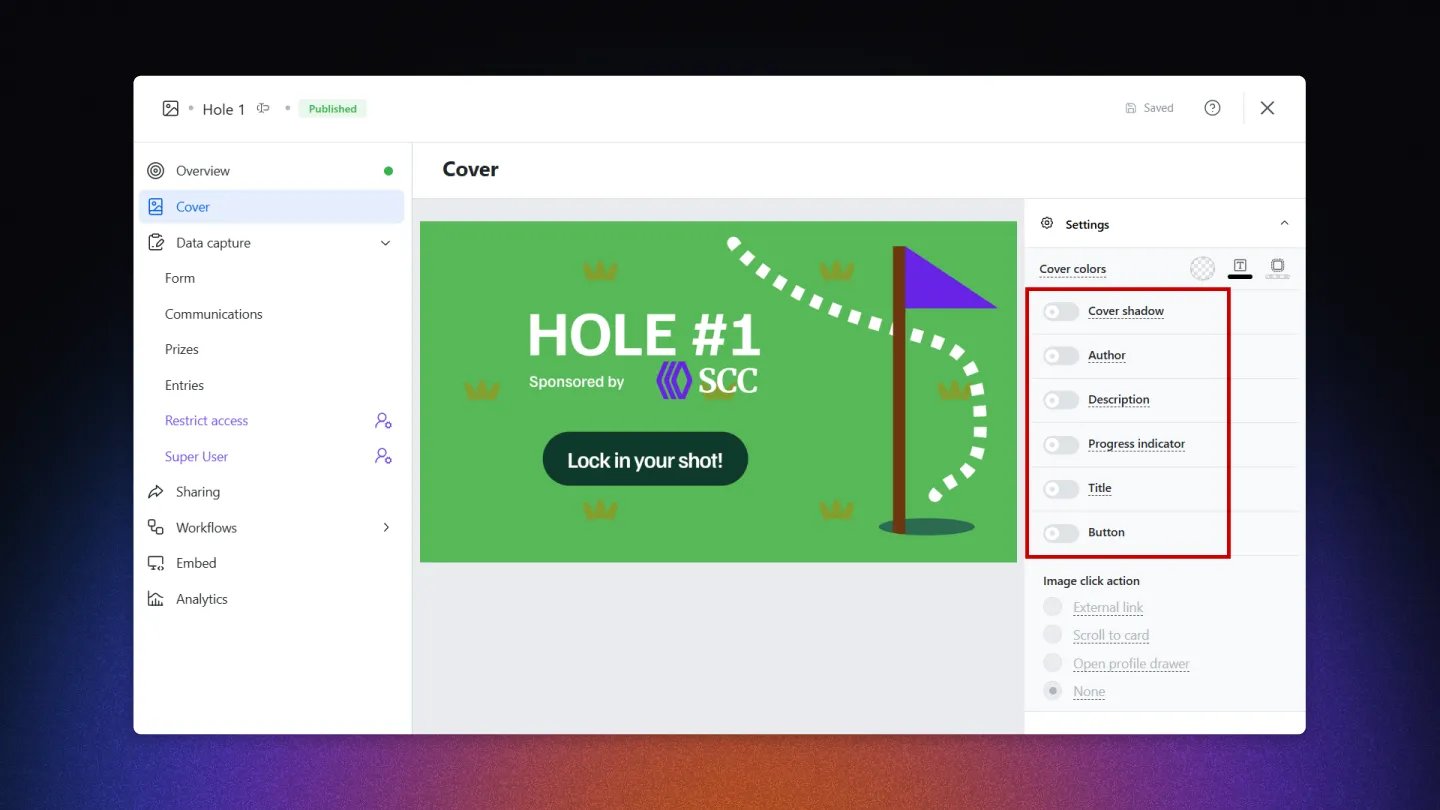
- Cover Shadow: Toggle this OFF to remove the border shadow, ensuring the card doesn’t look like a “box” sitting on the page.
- Title & Description: Turn these OFF to let your custom typography on the image do the talking.
- CTA Buttons: Turn the Button toggle OFF if you want the entire image to act as the link without a visible bar at the bottom.
- Author & Progress Indicator: Toggle these OFF for a cleaner, more editorial look.
Design Inspiration 💡
See how these techniques are being used to create world-class digital experiences:- Snap Diet Cola: Perfect use of transparent PNGs and vertical dimensions to create a fluid, refreshing flow.
- Soulful Solarium: High-end festival aesthetic using transparency to let vibrant background colors shine through.
- Future Built Forum: A modern, professional look that uses custom dimensions to create a structured yet seamless layout.