
If you are wanting to use the Live Trivia invite feature reach out to your Customer Success Specialist.
Contents
What is it?
The invite only feature provides a means for you to make a Live Trivia game only accessible to a certain group of people. One way you may decide to use this feature is by inviting the top performing participants from previous Live Trivia games to a Grand Final where they will play off for the ultimate prize.How do I set it up?
- Step 1: Toggle on the invite only feature
- Step 2: Create your invite list
- Step 3: Upload the invite list to the Live Trivia game
- Step 4: Inform your entrants they’ve been invited to the Live Trivia game
Step 1: Toggle on the invite only feature
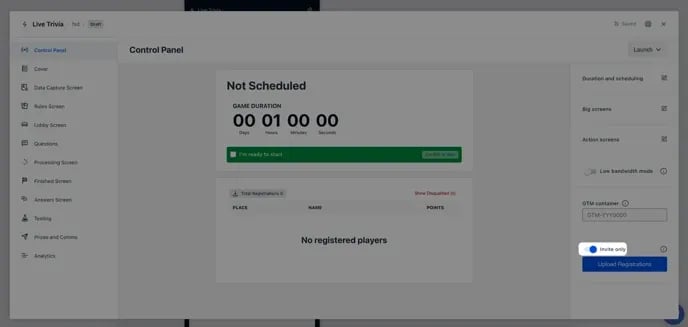
- Navigate to the Control Panel tab and toggle on the Invite only feature.
Step 2: Create your invite list
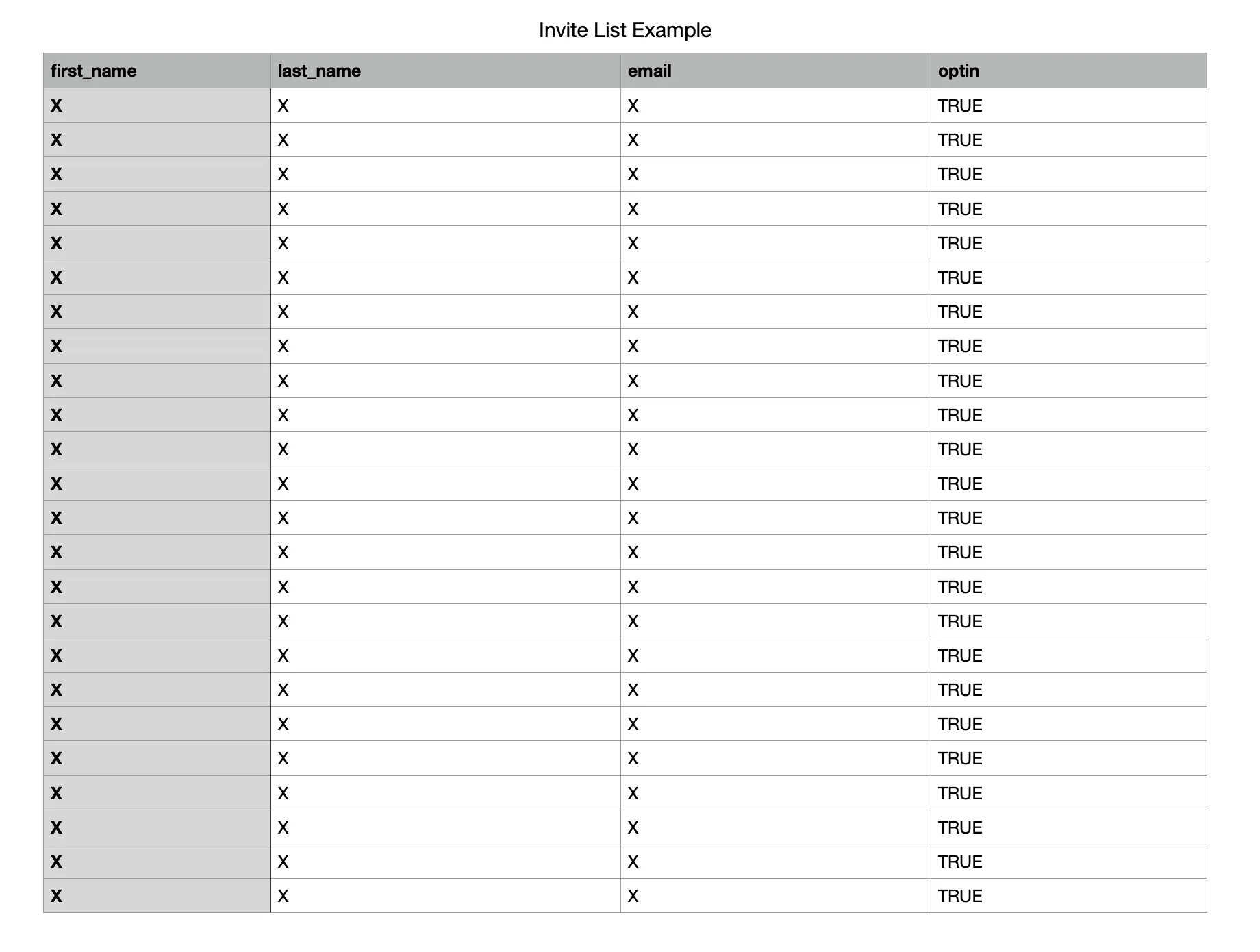
- You will need to create a list of all the entrants who you wish to invite to your Live Trivia game.
- You will need to label the first cell in each column after each of fields in your form. See the above image for reference.
- Once you’ve created your invite list save the document as a .csv file.
Step 3: Upload the invite list to the Live Trivia game
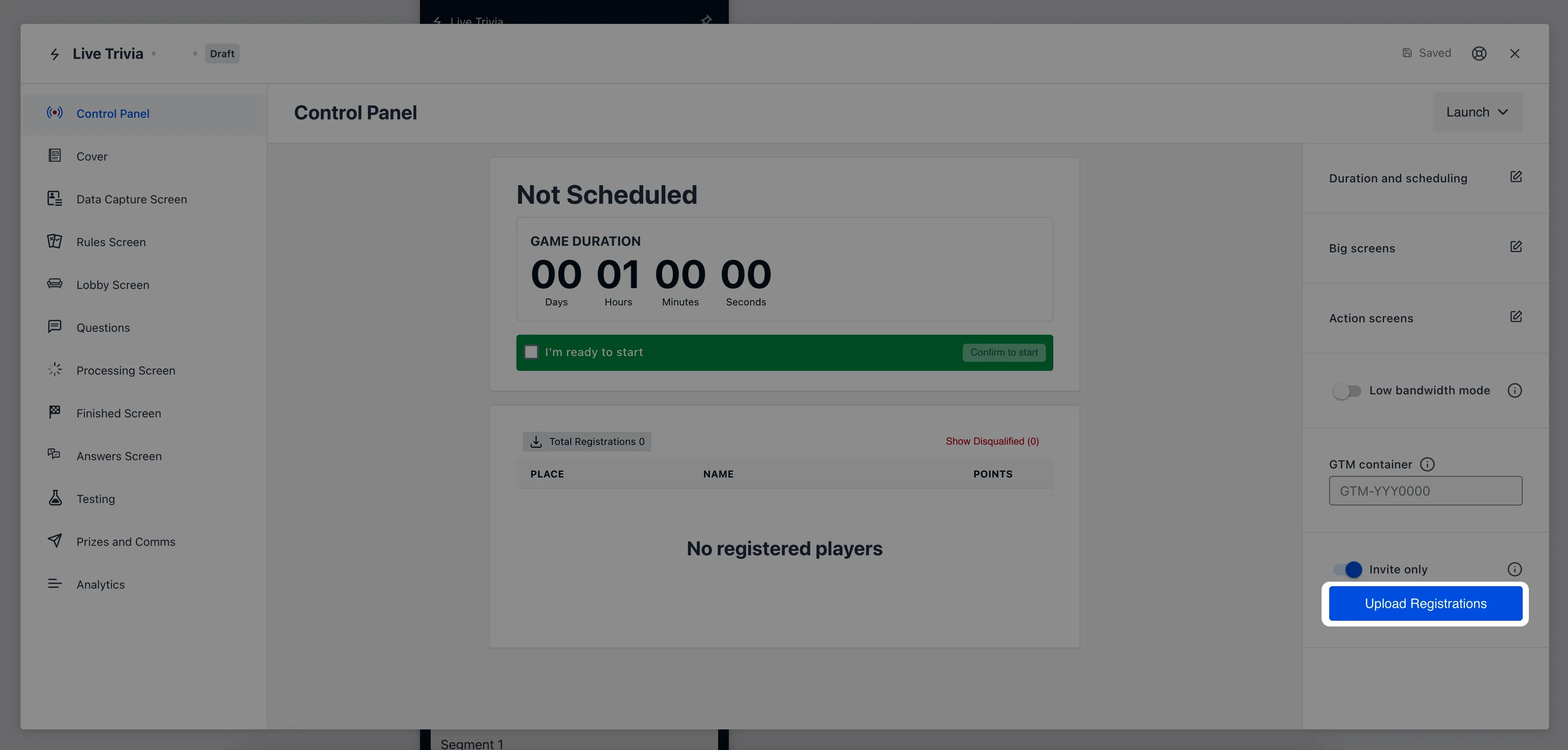
- Head back to the Live Trivia game and click on the Upload Registrations button.
- Upload the CSV File.
Step 4: Inform your entrants they’ve been invited to the Live Trivia game
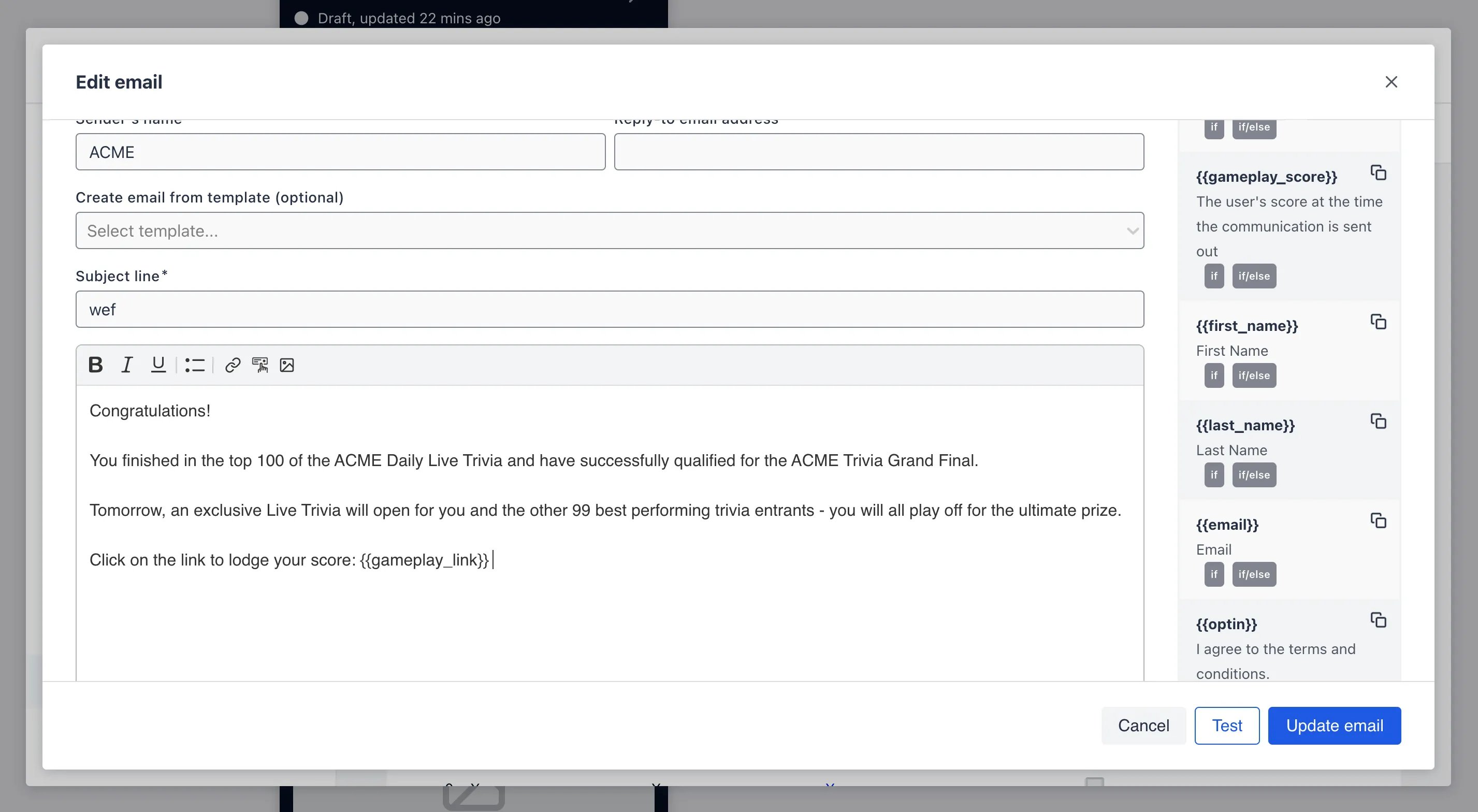
- After uploading the invite list you will need to notify entrants that they’ve been invited to participate in your Live Trivia game.
- Navigate to the Prizes and Communications tab and add a communication with the Trigger for distribution set to Manually sent.
Remember to include the gameplay link code in your email.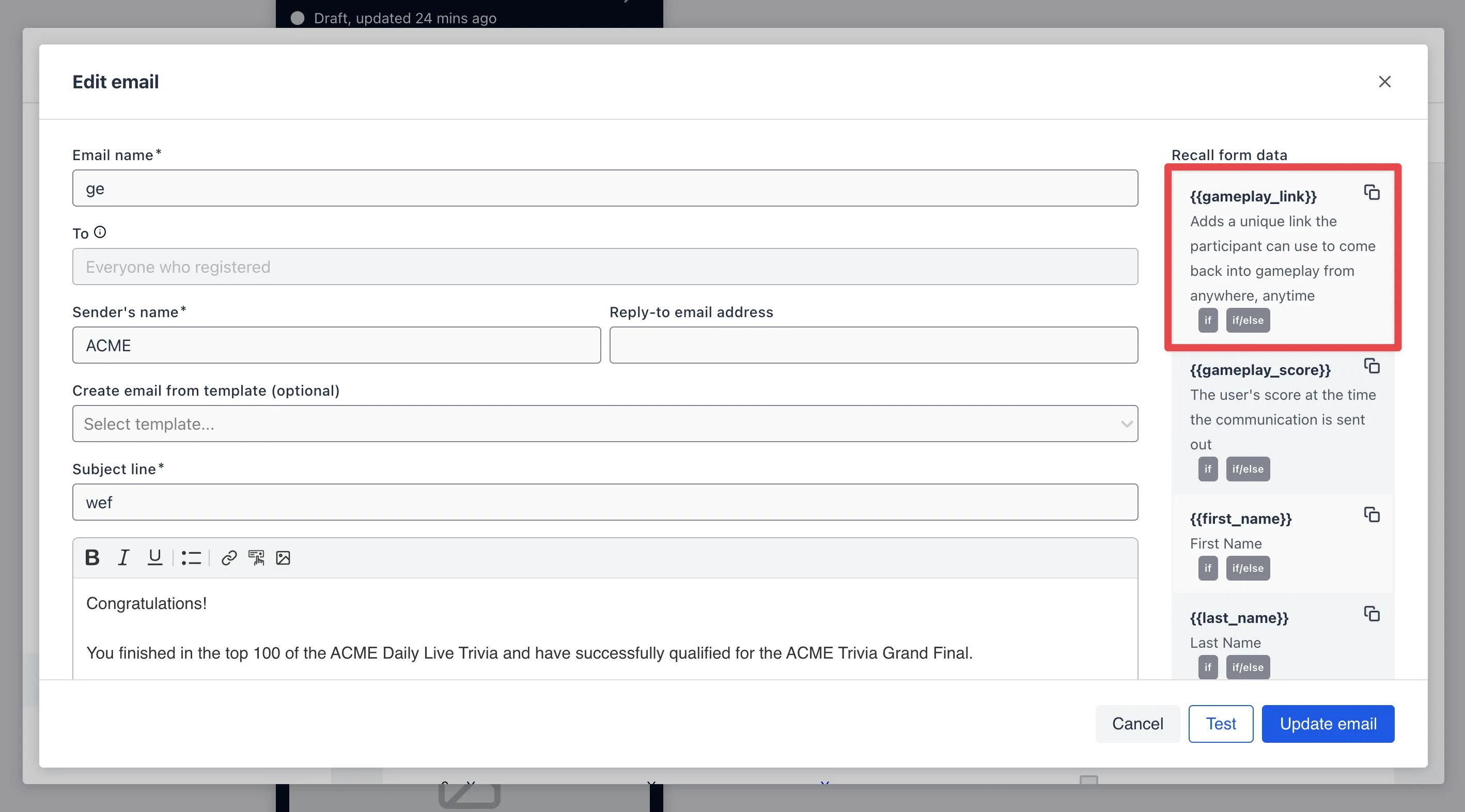
- After writing your copy of your invite email click Update email. Click on the three dots next to the communication and then Send to all.