
How do I do this?
Step 1: Upload Your Video

- Upload your video to a public sharing website such as YouTube and Vimeo, or host the video in your Dropbox.
Step 2: Copy the Video Sharing Link
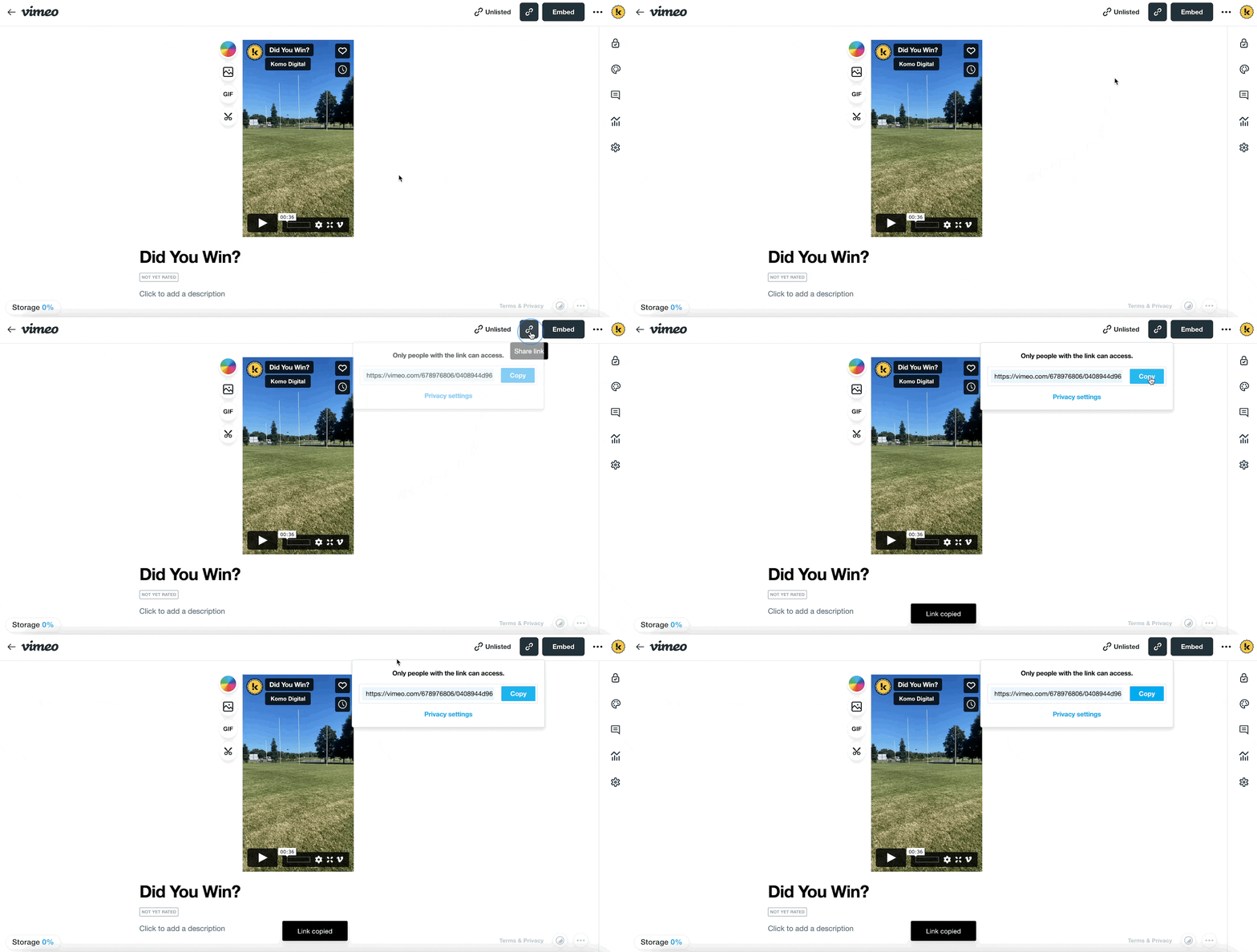
- (1) Click on the Clipboard icon and copy the link.
See below for how to copy the sharing link for Dropbox.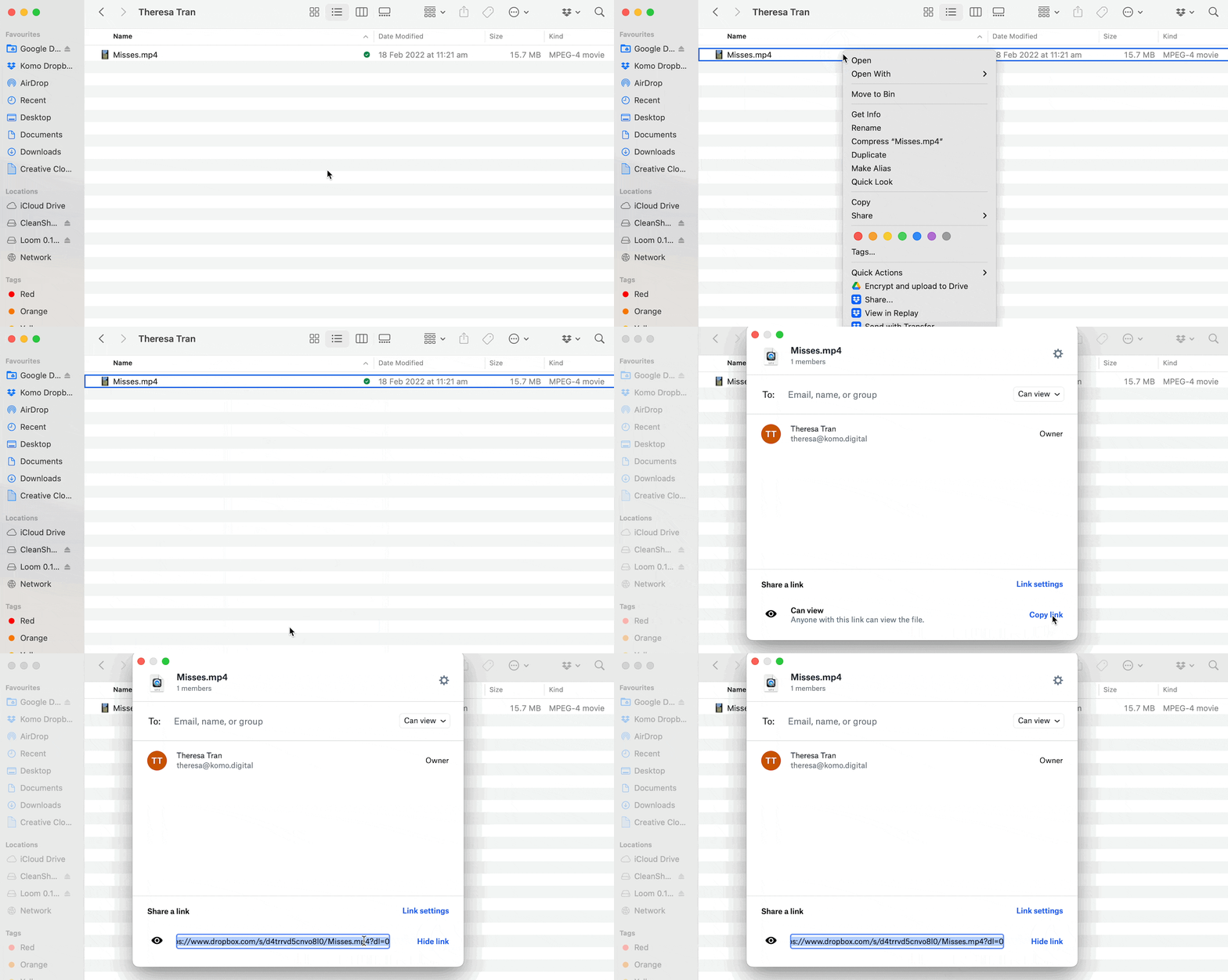
Step 3: Paste The Link
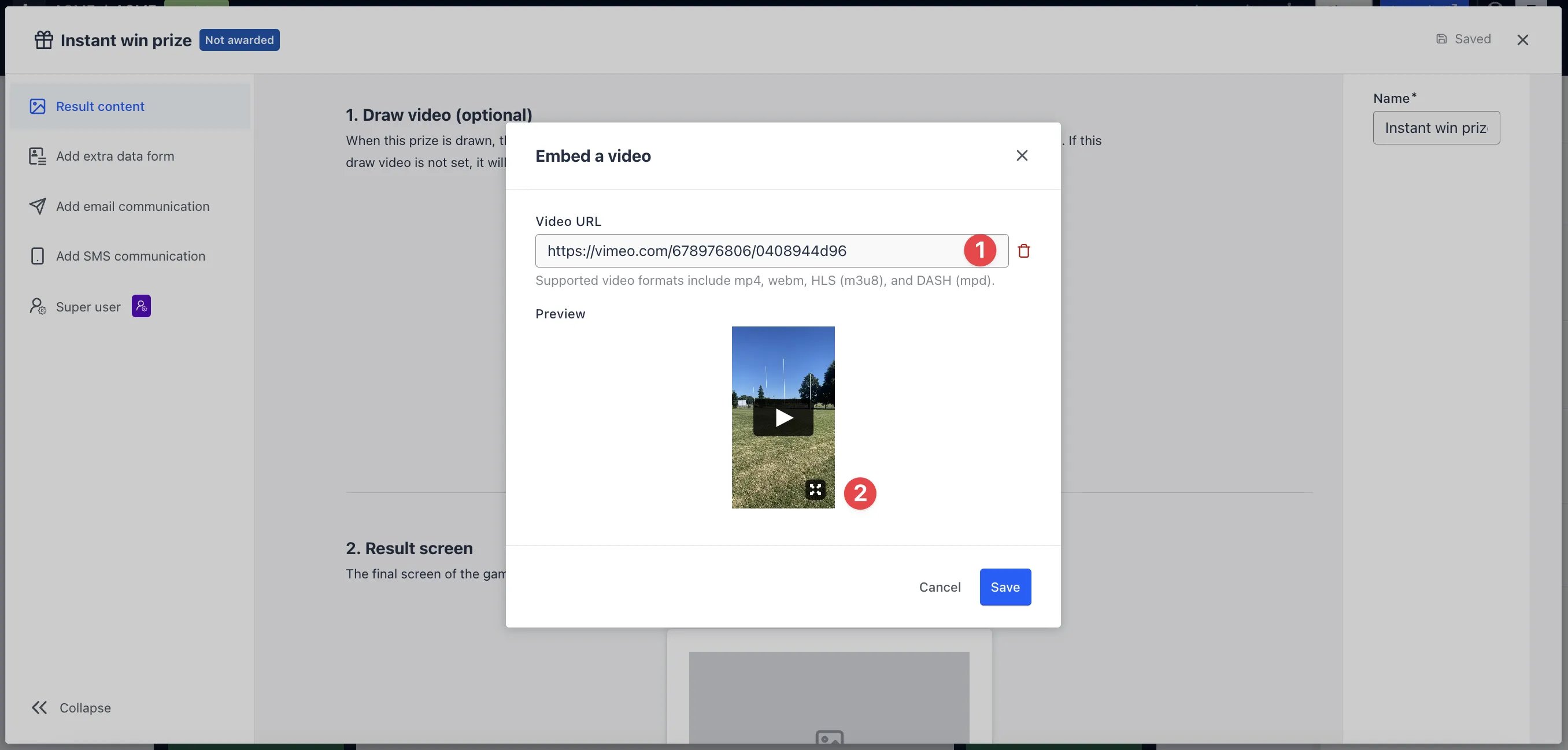
- Navigate to your Engagement Hub and edit the card you want to embed the video.
This video sharing link is only applicable for Quiz, Personality Quiz, Poll, Multi-poll and Watch to Win.
- (1) Paste the video URL here.
- (2) A preview of the video will appear here.