
What is it?
An Image card allows you to share an image or GIF on your Hub. This image can be linked to an external site or another card in your Hub, or simply exist as an image. The Image card is a great option for sponsored posts or advertisement!Watch it come to life
How do I build one?
- Step 1: Add an Image card to your Hub
- Step 2: Add your Cover image
- Step 3: Add a Data capture (Optional)
- Step 4: Publish your card
Want the design asset guideline?
Step 1: Add an Image card to your Hub
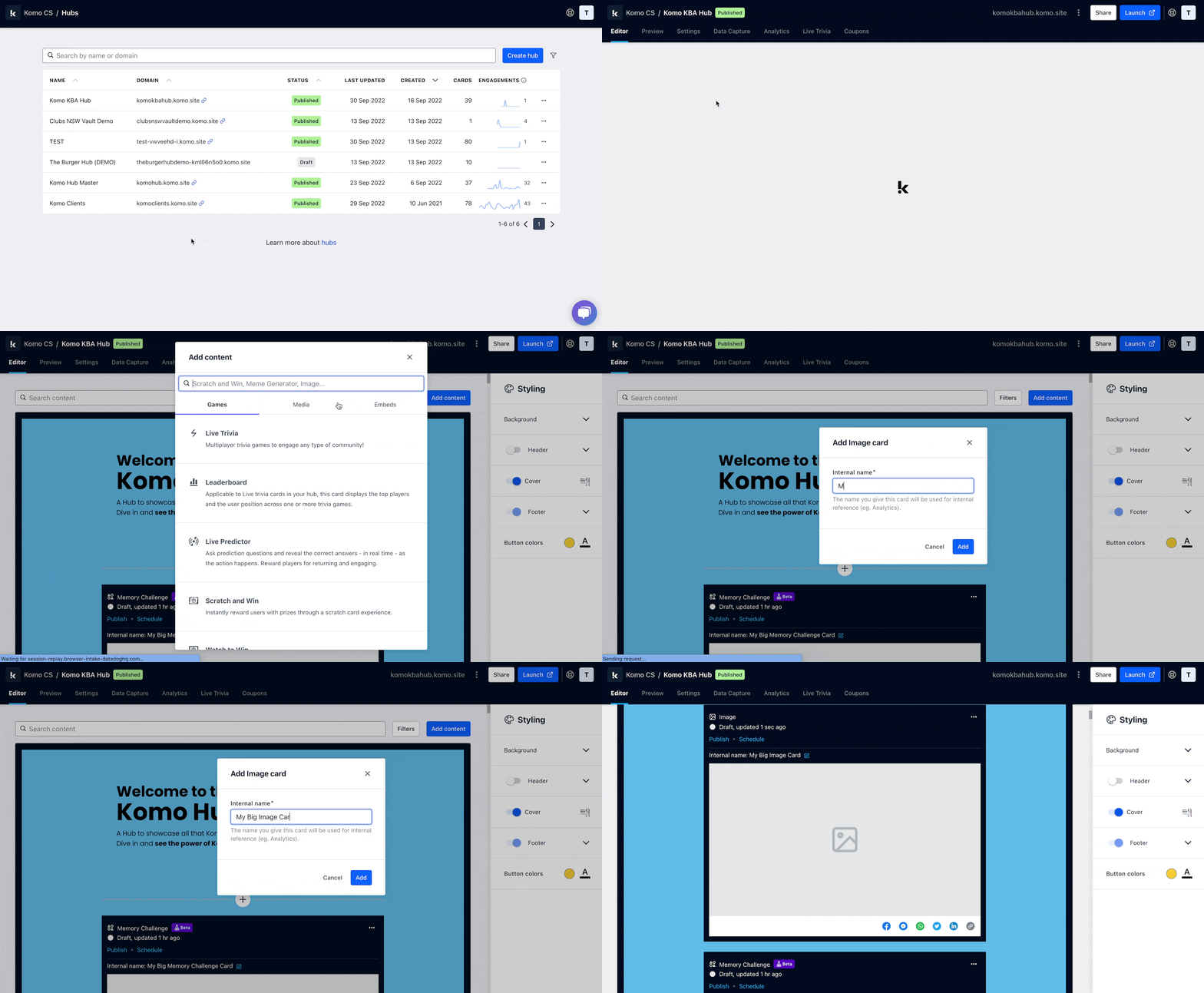
- Navigate to your Engagement Hub.
- Once there click Add Content, from here select Media and then Image.
- You will then see your new card has been added to your Hub.
Step 2: Add your Cover image
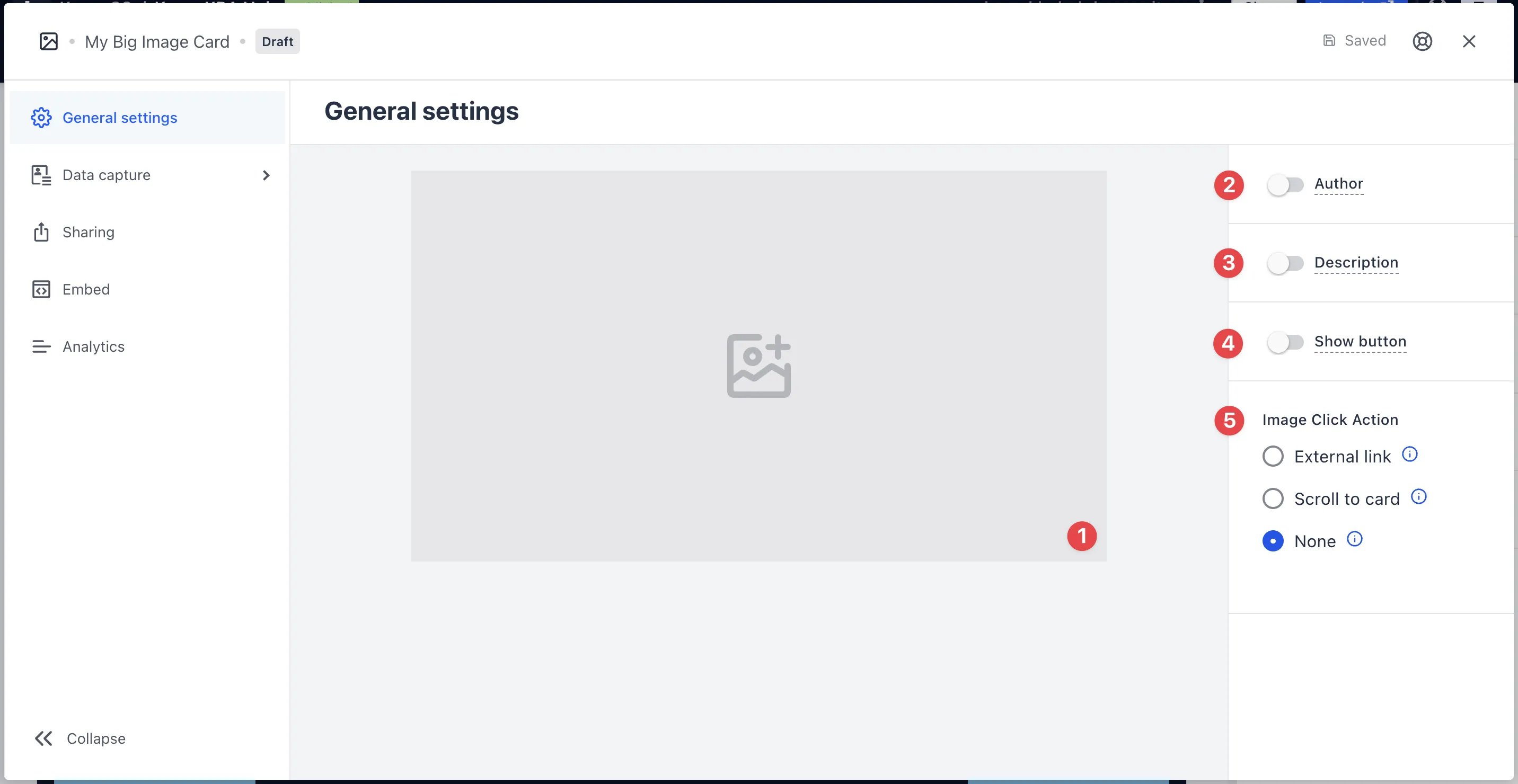
- Clicking on the Image will open the editing module.
- (1) Here is where you’ll add your Cover image.
- (2) You can add an author tag by displaying the brand or person who’s responsible for the card content.
- (3) Add a description to the card.
-
(4) Here you can add a call-to-action button below the card.
This is only visible if you have a data capture attached. If you have this disabled, make sure you add a CTA in the cover image.
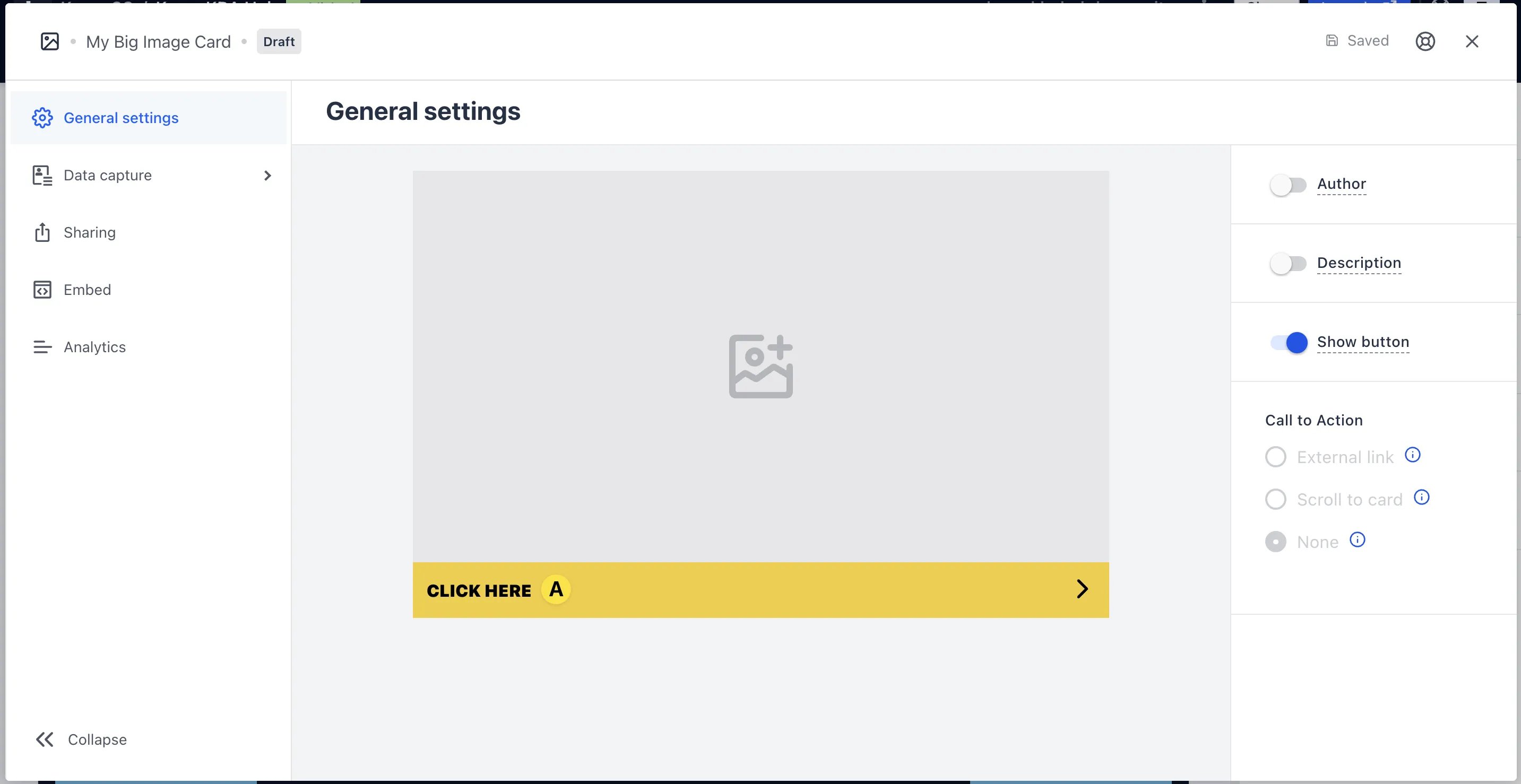
- (A) Once you have enabled the button, click on the bar to alter the colour and copy of the call-to-action.
- (5) Here you have the option to direct users to an external site or card when they click on the image.
Step 3: Add a Data capture (Optional)
Add a Data Capture to your Vote card if you want to collect user data.Ready to set up your competition?
Step 4: Publish your card
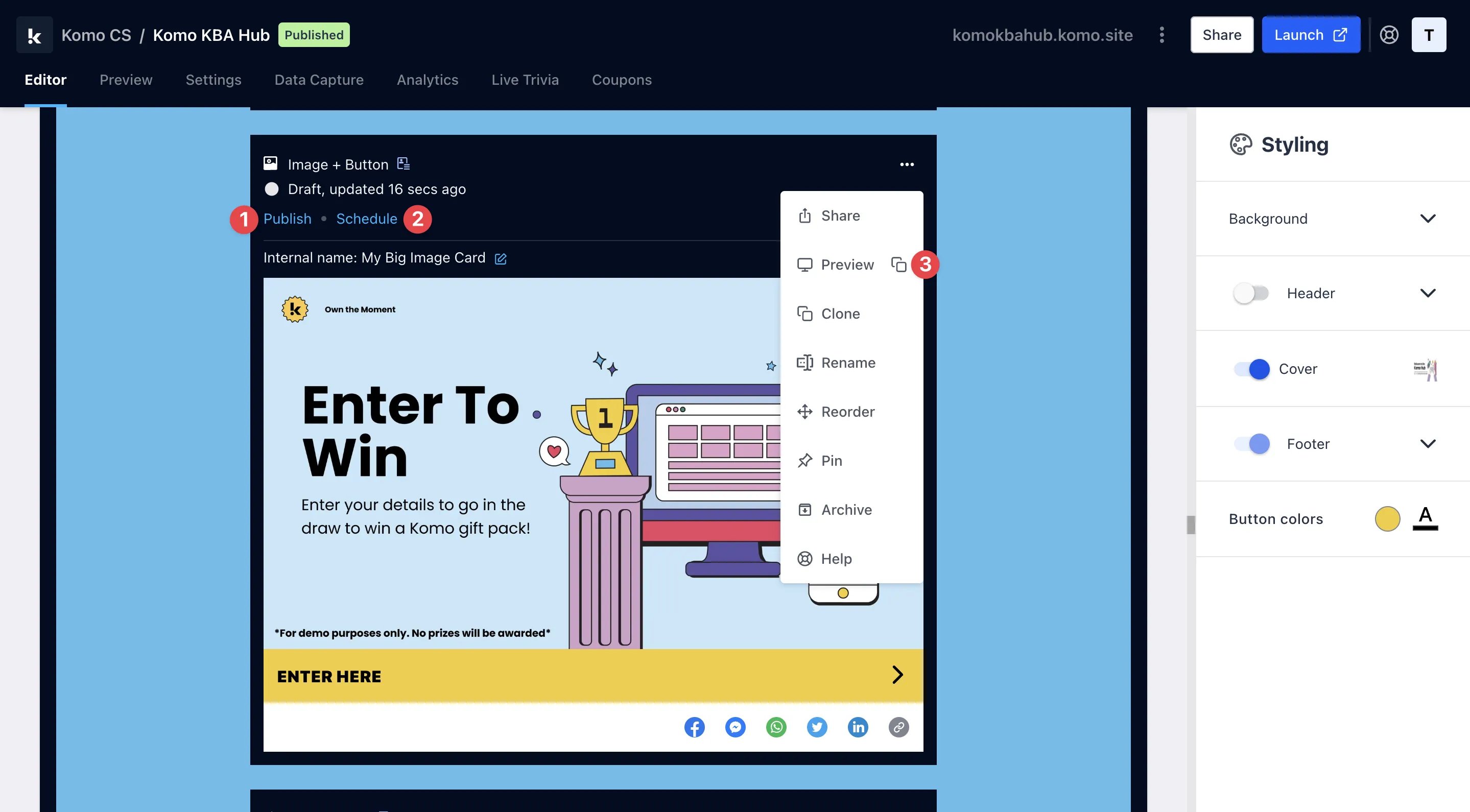
- (1) Publish your card manually and instantly for the world to see.
- (2) Schedule your card to be published and unpublished at set dates and times.
- (3) Click on … to Preview and interact with the card on the front end from a user’s perspective before publishing it. See how to test your card here.
All competition entries will be recorded and will impact the card analytics.