
How do I build one?
Step 1: Add a Video card to your Hub

- Navigate to your Engagement Hub. Once there, click Add content, from here select Media and then Video. You will then see your new card has been added to your Hub.
Step 2: Upload your video
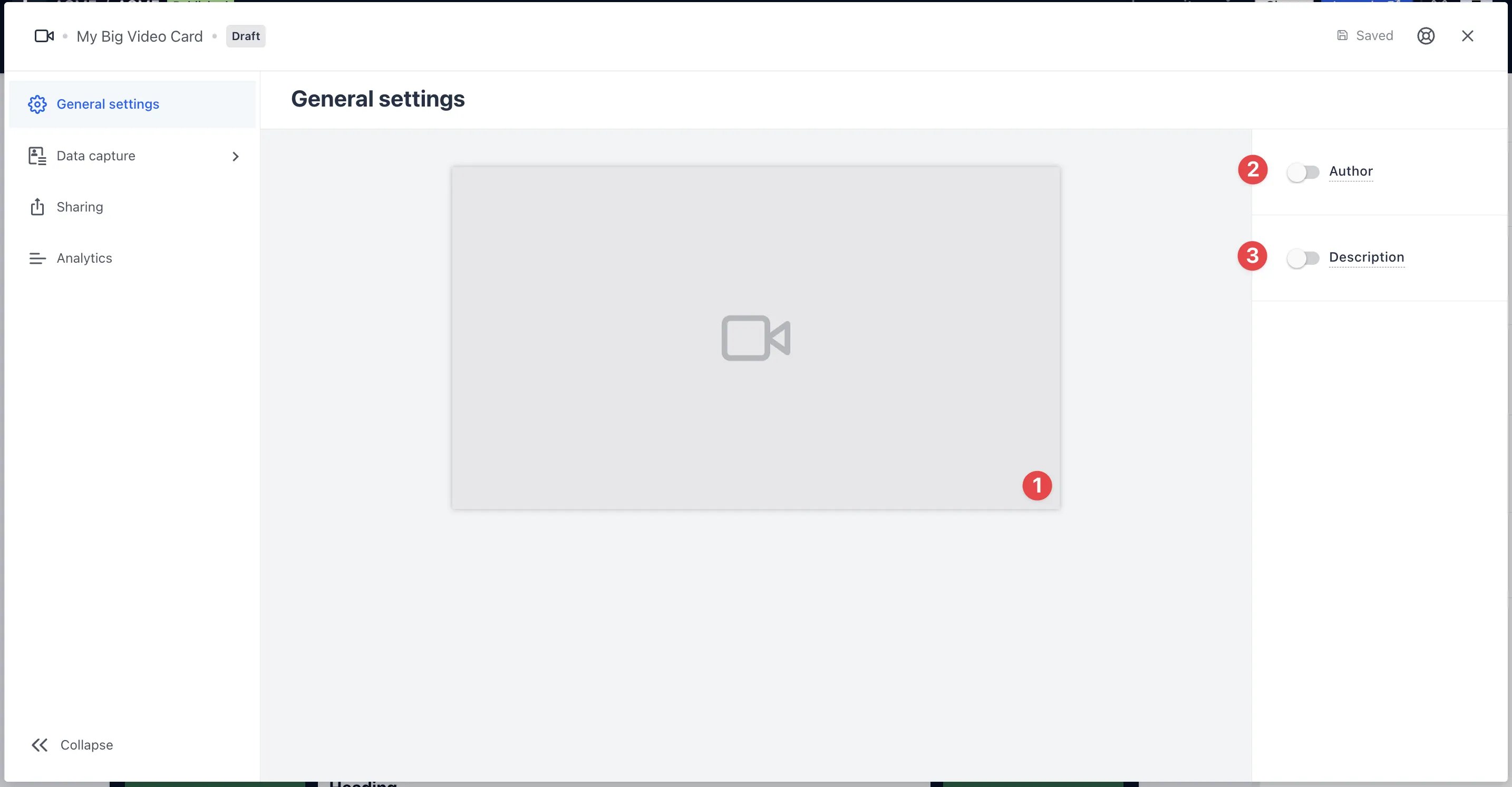
- Clicking on Video will open the editing module.
- (1) By clicking the placeholder cover image, you can upload a video from your device or using a video URL. Learn more on how to get a video URL here.
- (2) You can add an author tag by displaying the brand or person who’s responsible for the card content.
- (3) Add a description to the card.
- Under General settings, set Aspect Ratio when you need to override the default (placeholder examples:
16/9or0.5).
Step 3: Publish your card
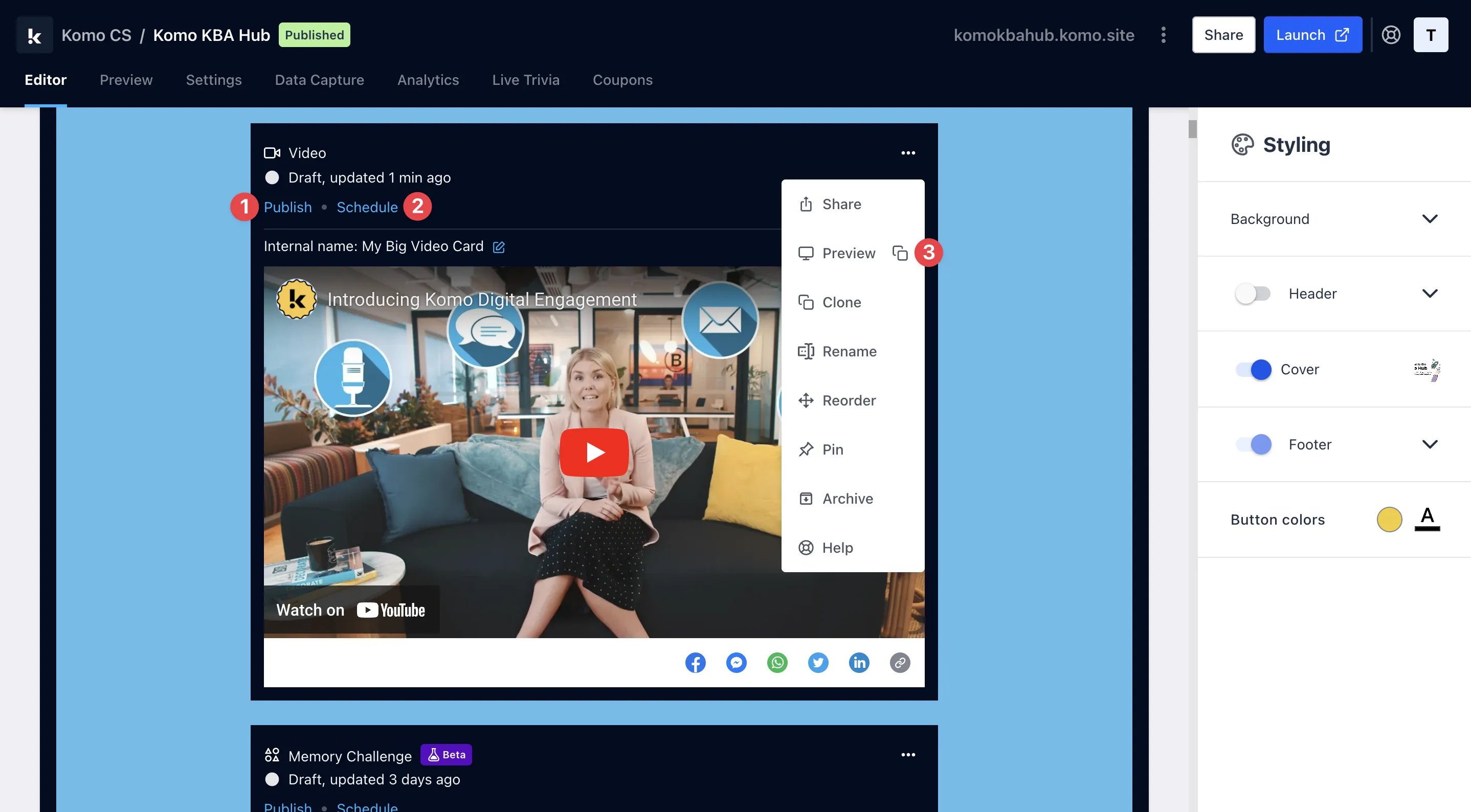
- (1) Publish your card manually and instantly for the world to see.
- (2) Schedule your card to be published and unpublished at set dates and times.
- (3) Click on … to Preview and interact with the card on the front end from a user’s perspective before publishing it. See how to test your card here.
All competition entries will be recorded and will impact the card analytics.
Promotion
Stuck on how to promote your activation?
FAQ
Why isn’t my video working? Supported formats: mp4, webm, HLS (m3u8), and DASH (mpd). What aspect ratio should I use?- Hub video embeds default to 16:9 framing. Non-16:9 sources may show padding.
- YouTube / Vimeo embeds typically force 16:9. Facebook Watch adapts more flexibly.
- Direct upload: prefer 16:9 or 9:16. Other ratios get padding.
Clearer file size and length limits are planned. Until then, keep uploads reasonably compressed and test playback before go-live.