
What is it?
The 20 Words or Less card allows users to answer a prompt with their own written response. This interactive card is primarily used to engage and better understand your consumers. You can also use it to collect feedback on your products and services or gather creative responses from users. This card type is perfect for competitions requiring creativity, insight gathering, or when you want users to express themselves in their own words.How do I build one?
Step 1: Add a 20 Words or Less to your Hub
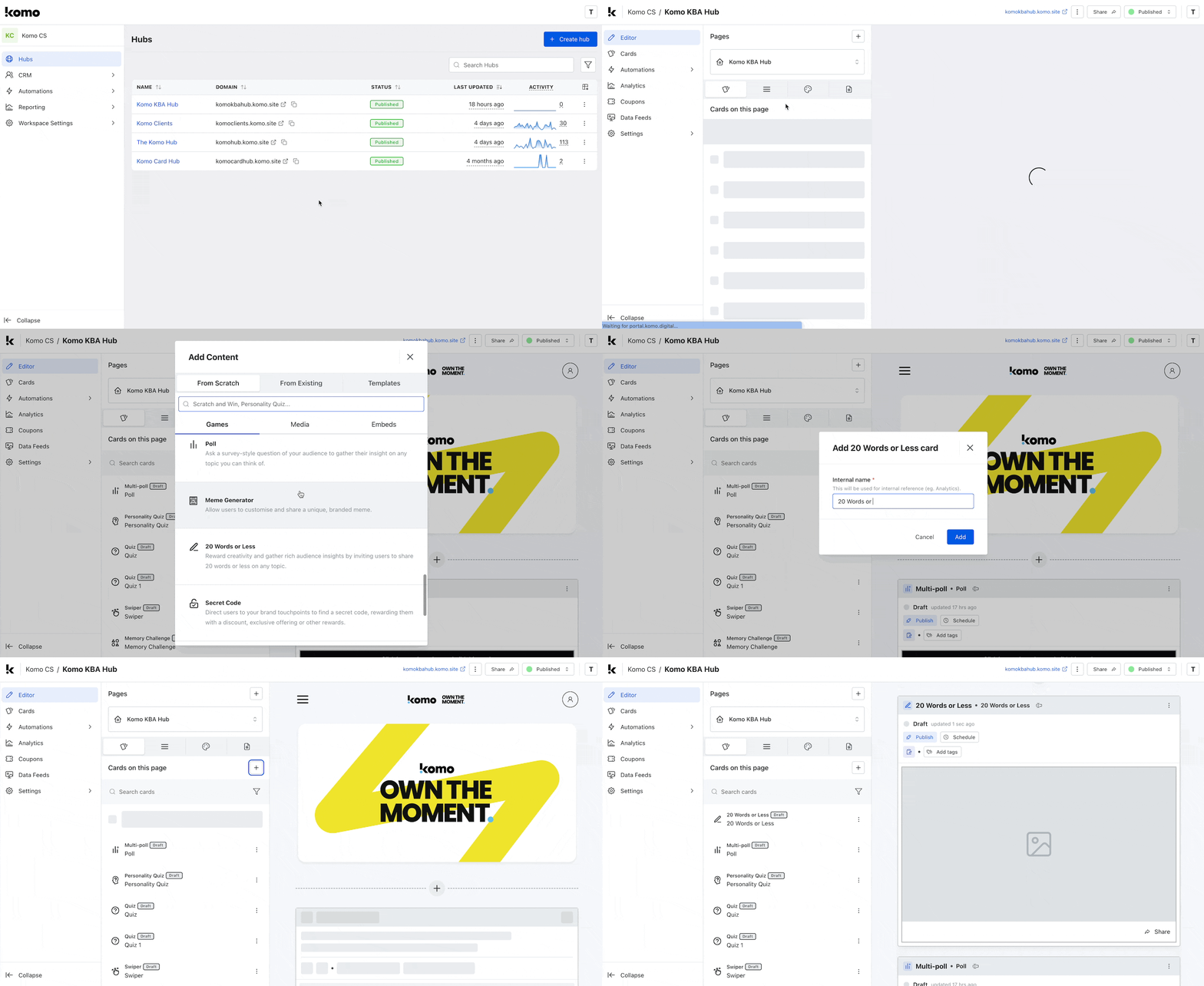
- Navigate to your Engagement Hub
- Once there click the Plus icon, from here select Games and then 20 Words or Less
- You will then see your new card has been added to your Hub
Step 2: Add a Cover image
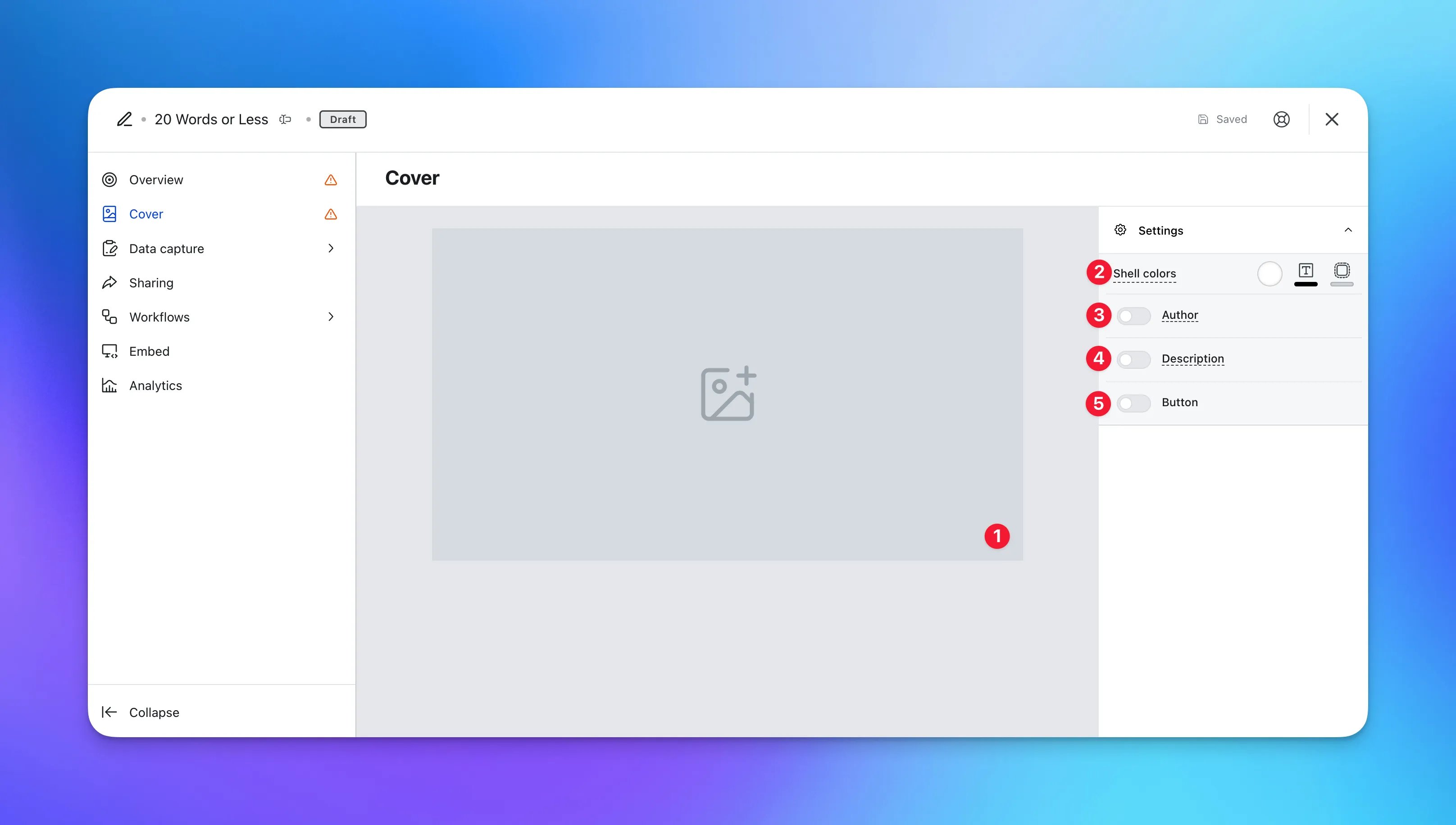
- Clicking on the 20 Words or Less will open the editing module
- (1) Here is where you’ll add your Cover image
- (2) Set the Outer card shell colours (description and share bar)
- (3) You can add an author tag by displaying the brand or person who’s responsible for the card content
- (4) Add a description to the card
- (5) Here you can add a call-to-action button below the card
Step 3: Set up your Data capture
Unlike other cards, a data capture is required for this type of card. For a guide on how to set up a data capture check out our article below.Ready to set up your competition?
Step 4: Edit your 20 Words or Less
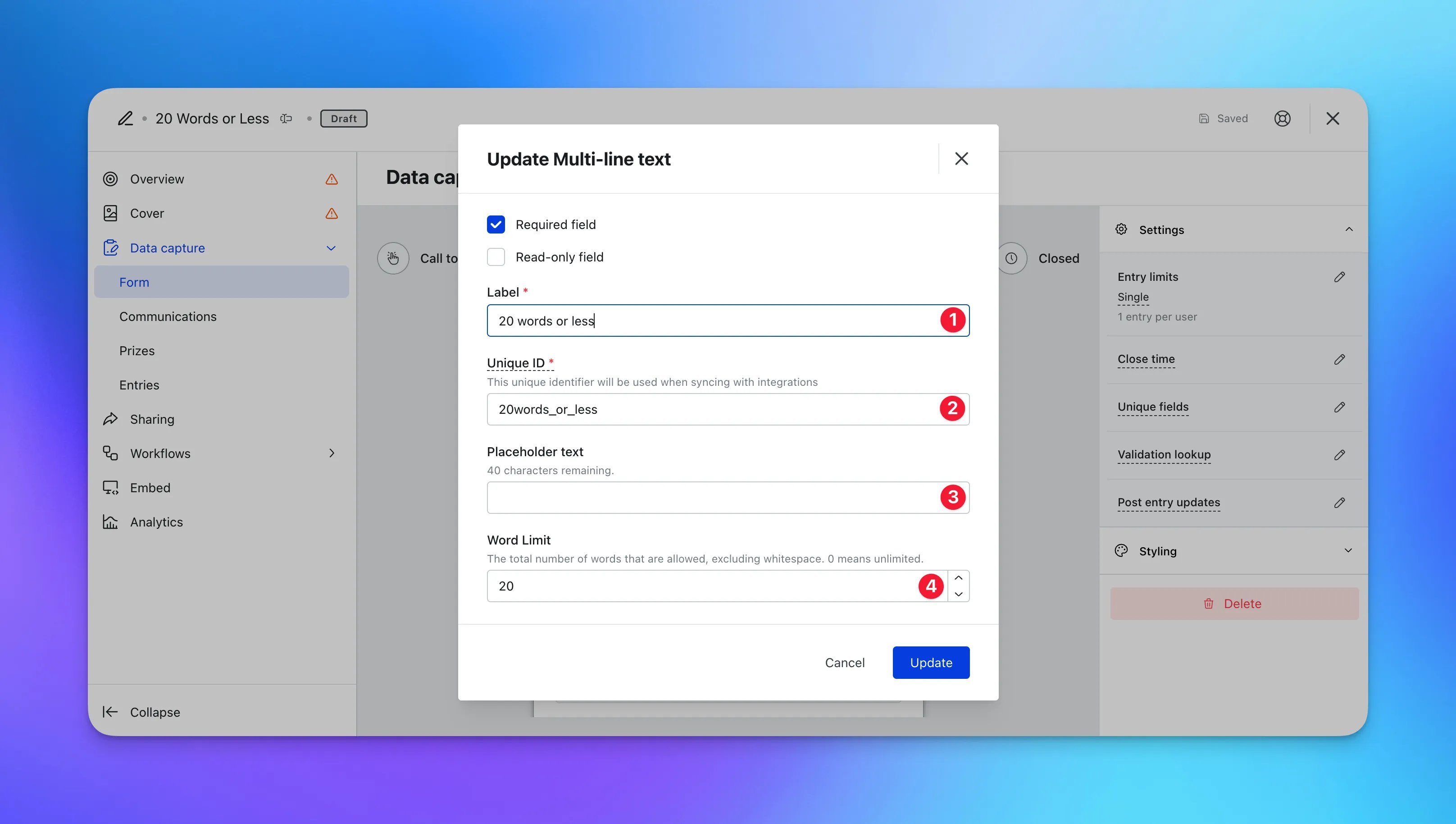
- Head into the Data capture tab and then click on Form
- Hover on the 20 words or less field and then edit
- (1) Here you can edit the label that appears on the form
- (2) This is the unique ID used to help track in the analytics
- (3) Input placeholder text for the field
- (4) You can edit the word limit
Step 5: Publish your Card
- (1) Publish your card manually for the world to see
- (2) Schedule your card to be published and unpublished at set dates and times
- (3) Click on the … to Preview and interact with the card on the front end from a user’s perspective before publishing it. See how to test your card here
All competition entries will be recorded and will impact the card analytics.
”Go Live” Checklist
Ready to go live with your 20 Words or Less? We recommend reviewing the following list before launching and double-checking if you have:- All images uploaded are the correct dimensions. Export image files in 2x to ensure none of the images appear pixelated
- If you wanted to change the number of words, make sure you change the number and Label in the data capture form
- Hyperlinked your T&Cs to the opt in-field, which is created in the data capture section of the settings tab
- You have uploaded an image to the card cover and the form cover
- All your communications (Major Prize Winner, Minor Prize Winner, Everybody Else, Registration) are fully set up and ready to send
- If you are using coupons, make sure the coupons created are set up correctly. Check the coupon limits are set, the copy for each screen is right and you have linked the appropriate coupons to your communications
- Ensure your Prizes and the awarding rules are set up correctly
Terms & Conditions Template
Card Design Guidelines
Promotion
Stuck on how to promote your activation?
FAQ
Can this card be set up to accept more than 20 words? Yes. In the data capture form settings, you can adjust the word limit to any number that suits your campaign needs.Top Tips
- Include information on your cover image or add a description to the top of the card to explain the competition and prizes
- Make it fun for your audience - ask users to share their favorite actor and why, share a funny joke or submit their best short story
- Adjust the number of words to be submitted according to your competition
- Gather insights and get users to provide feedback on your brand or products. Learn what your audience enjoys most