
What is it?
Share content from Issuu directly on your Hub.Things to note
- Only Published Issuu content can be embedded.
- Embedding is not available for Issuu users on the Basic plan - only the paid plans support it.
- Don’t have an Issuu account? Click here to check it out.
How do I build one?
- Step 1: Add an Issuu Embed card to your Hub
- Step 2: Paste the embed code to the card
- Step 3: Publish your card
Step 1: Add an Issuu Embed card to your Hub
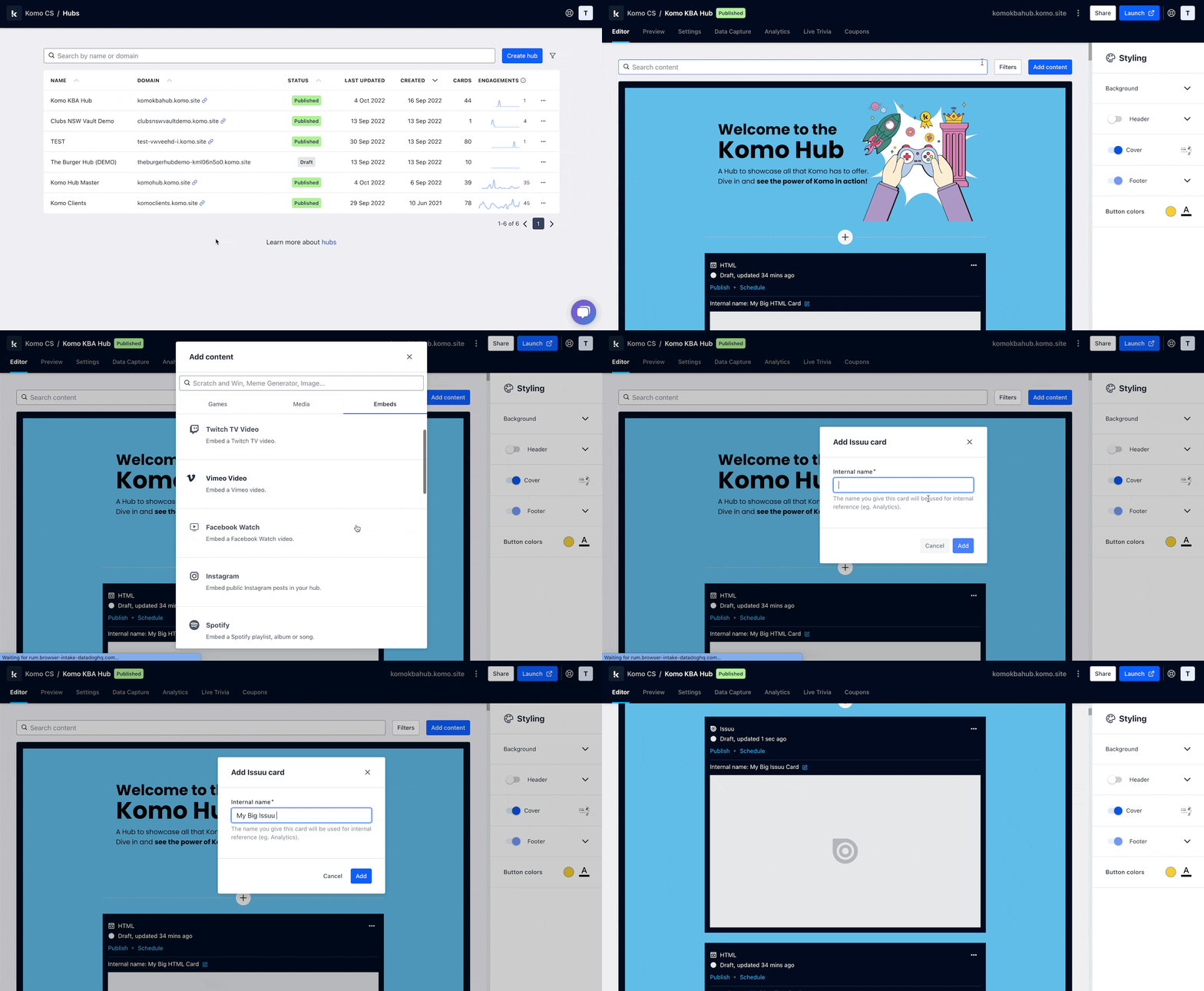
- Navigate to your Engagement Hub.
- Once there, click Add content, from here select Embeds and then Issuu.
- You will then see your new card has been added to your Hub.
Step 2: Paste the embed code to the card
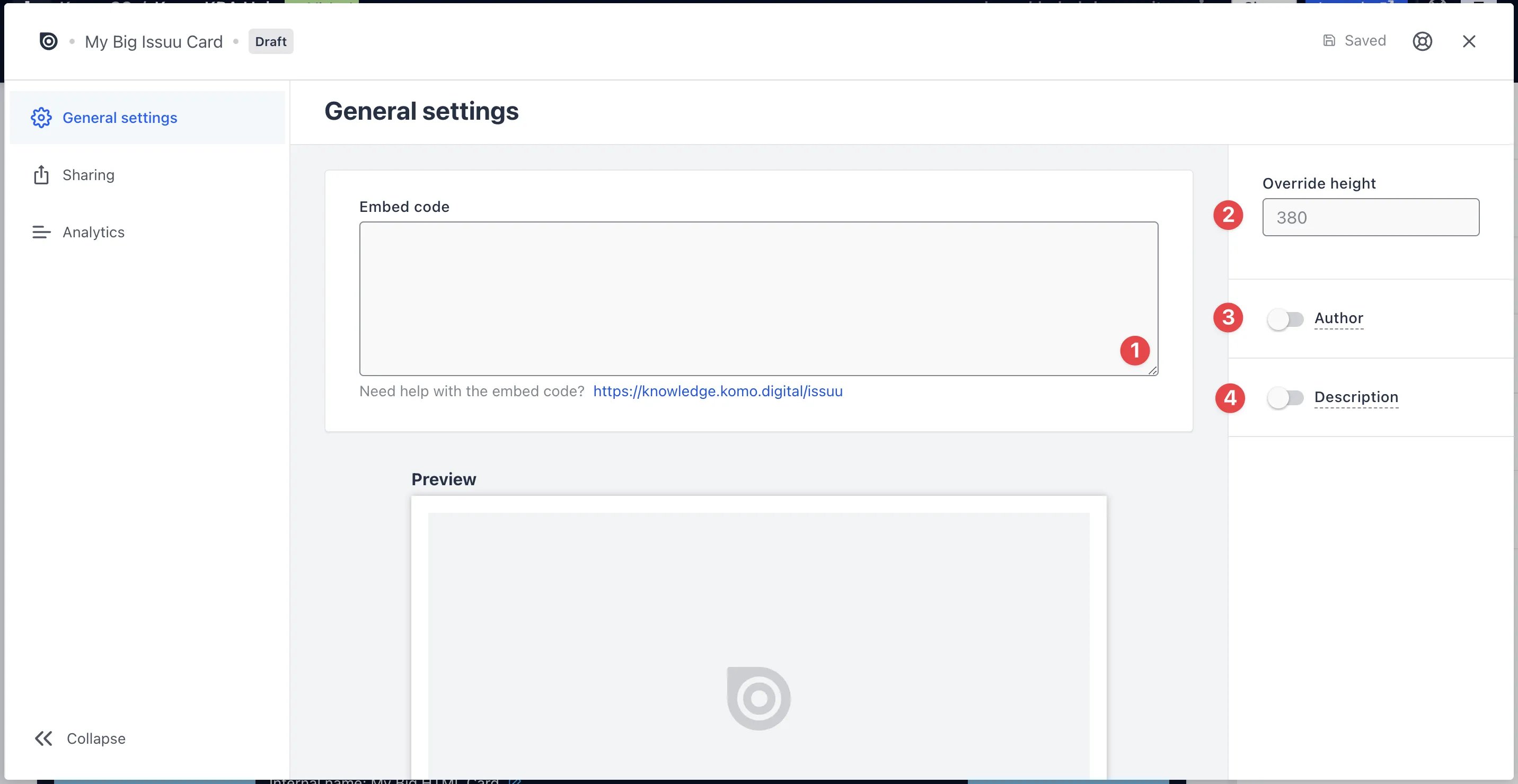
- Clicking on Issuu will open the editing module.
-
(1) Get the embed code and paste it here and a preview will appear below.
Getting your Issuu Embed Code
 1
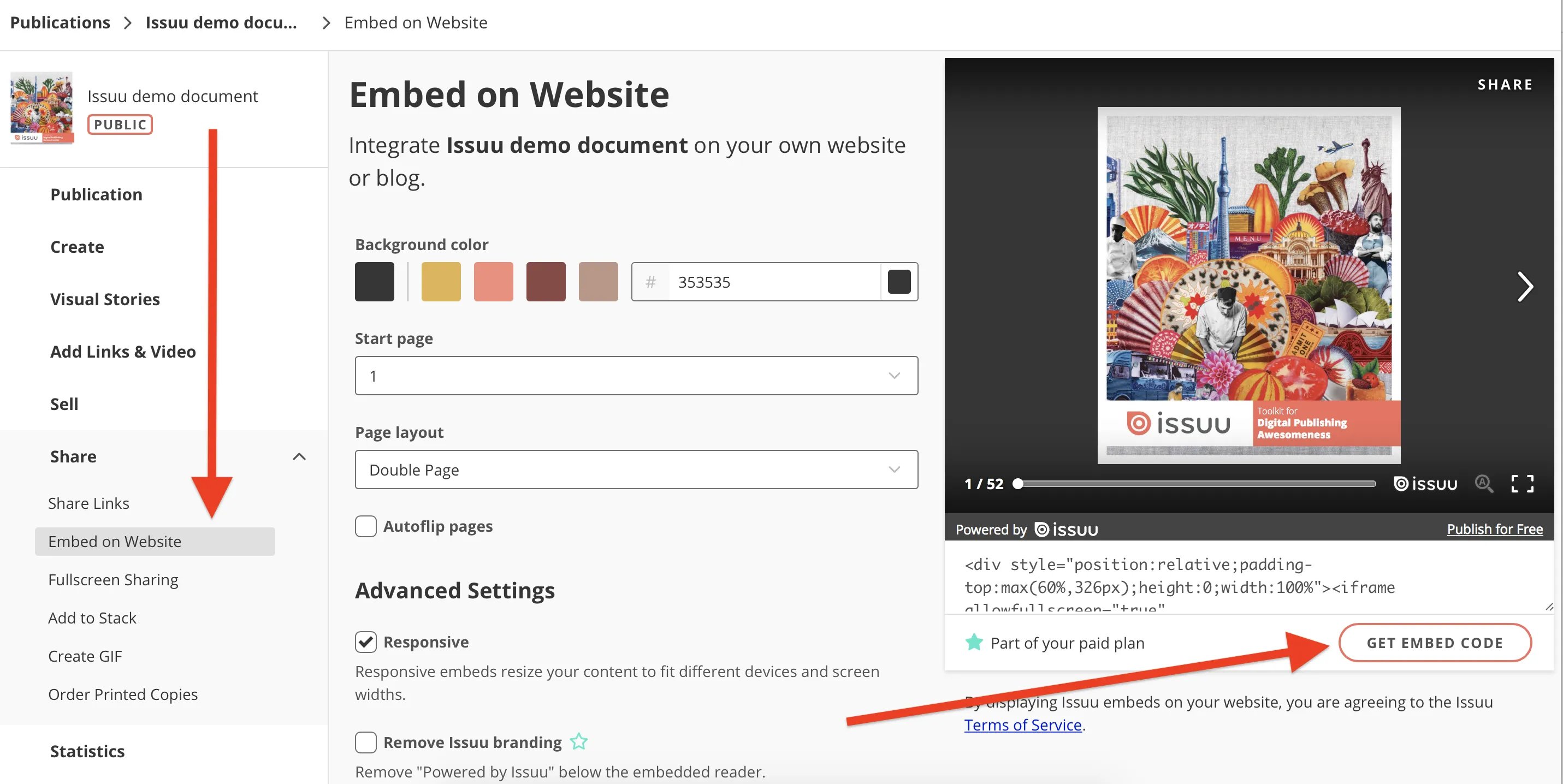
1Go to Publications from the side Navigation Menu and select the publication you want to embed.
2Under Share, select Embed on Website and it will open an embed widget.
3Adjust styling options.
4Click GET EMBED CODE.
5Paste the embed code into your Issuu embed card settings on your Hub.
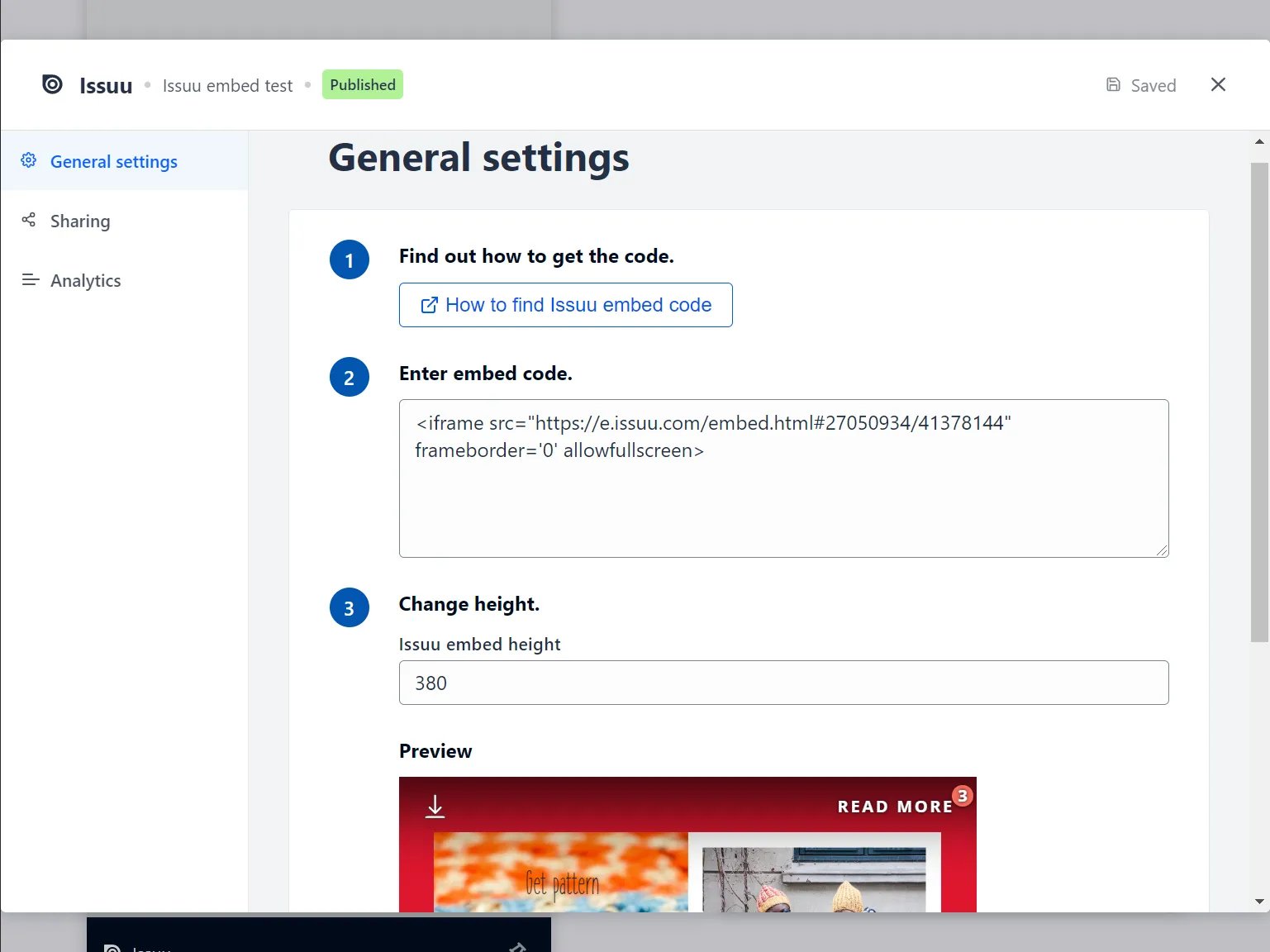
- (2) You can also adjust the height of the embedded card here.
- (3) You can add an author tag by displaying the brand or person who’s responsible for the card content.
- (4) Add a description to the card.
Step 3: Publish your card
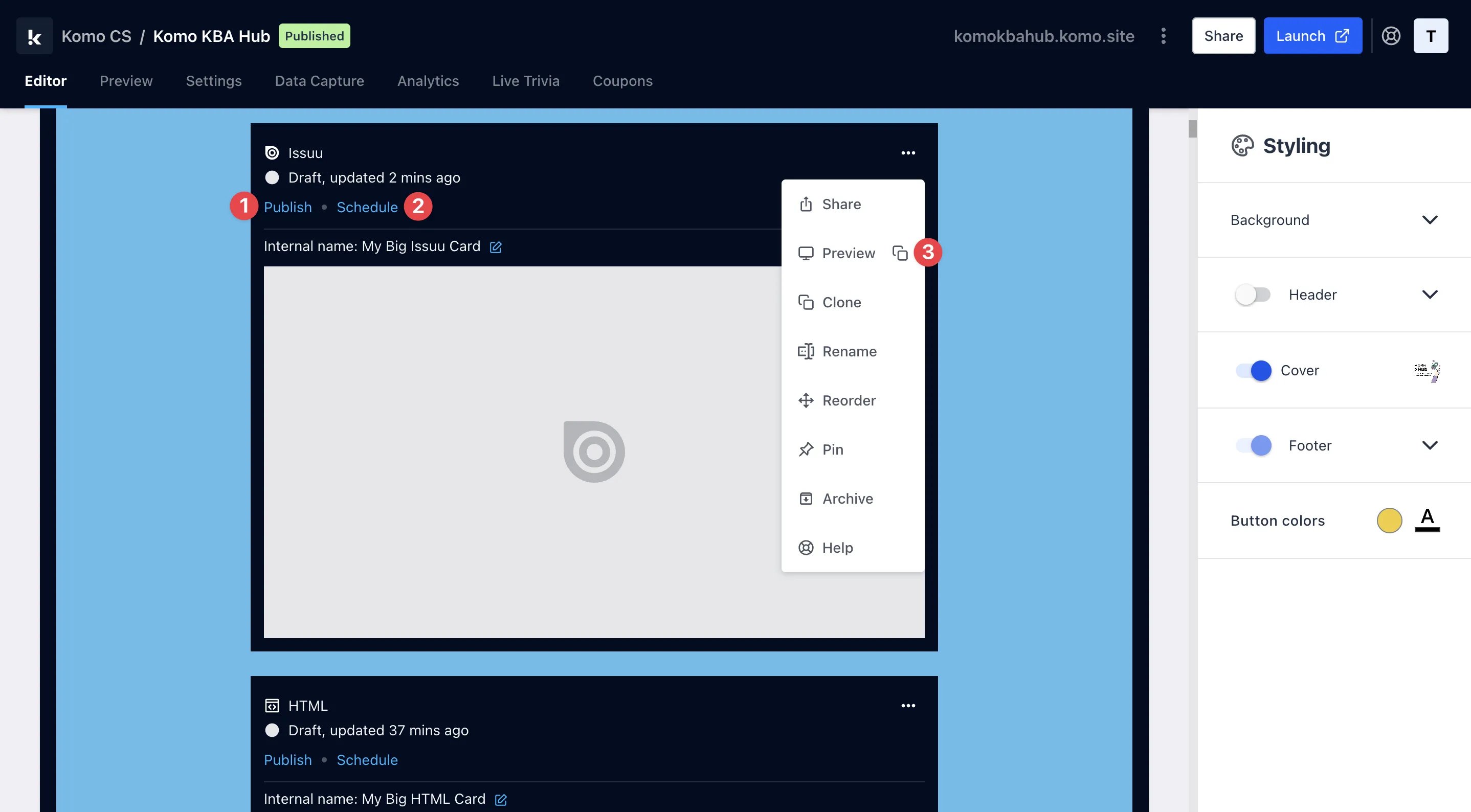
- (1) Publish your card manually and instantly for the world to see.
- (2) Schedule your card to be published and unpublished at set dates and times.
- (3) Click on … to Preview and interact with the card on the front end from a user’s perspective before publishing it.
All competition entries will be recorded and will impact the card analytics.