Watch it come to life
What is it?
The Amondo Card allows you to embed curated content from across all your business’s social media platforms and display them in one, easy to manage, card.Things to note
- You will need to create an imprint through the Amondo platform.
- Once you have created your Imprint through Amondo you will then need to copy and paste the embed link into the card in your Engagement Hub.
How do I build one?
- Step 1: Add an Amondo Card to your Engagement Hub
- Step 2: Paste in the Imprint ID
- Step 3: Publish your Card
Step 1: Add an Amondo card to your Hub
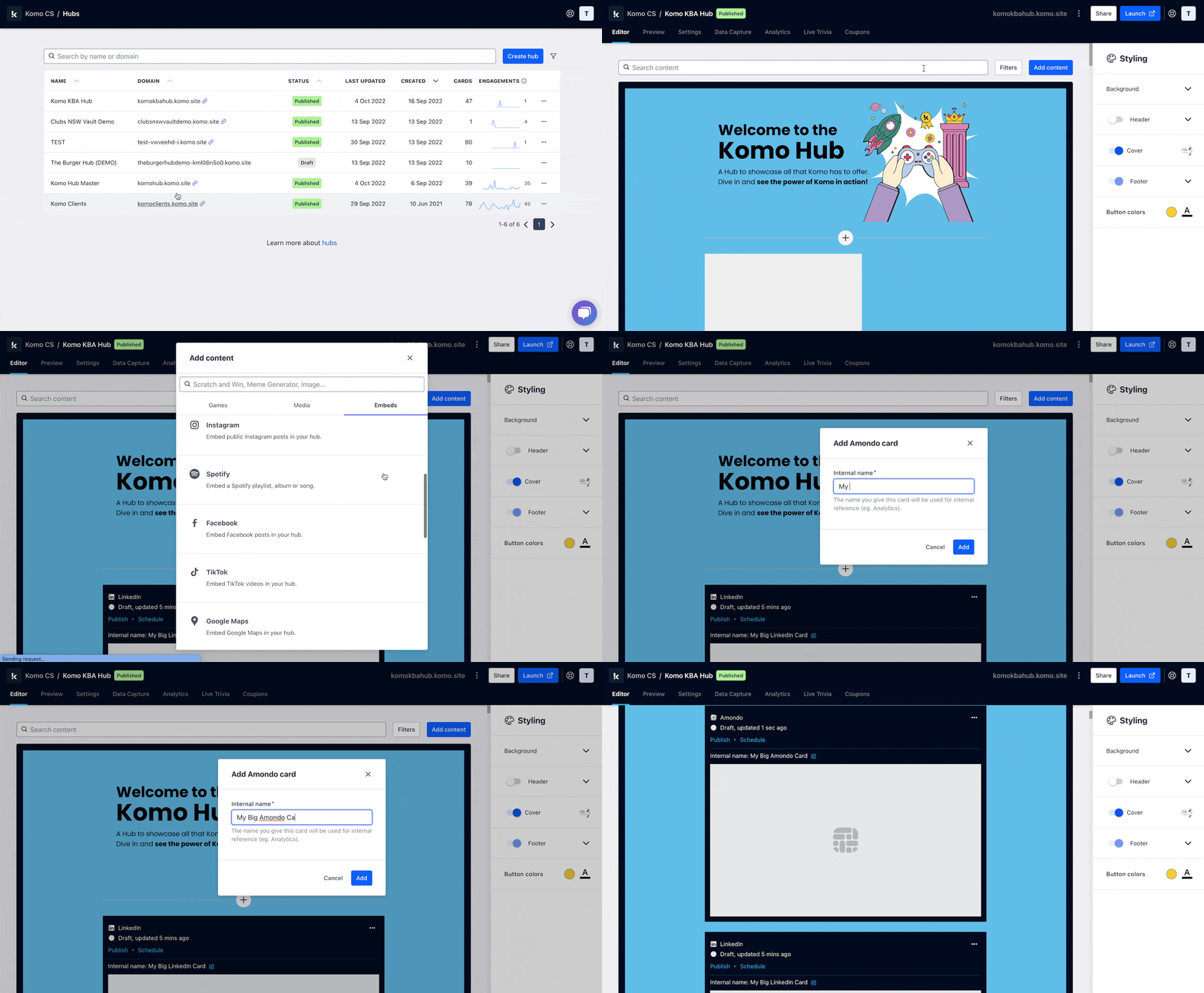
- Navigate to your Engagement Hub.
- Once there, click Add content, from here select Embeds and then Amondo.
- You will then see your new card has been added to your Engagement Hub.
Step 2: Paste in the Imprint ID
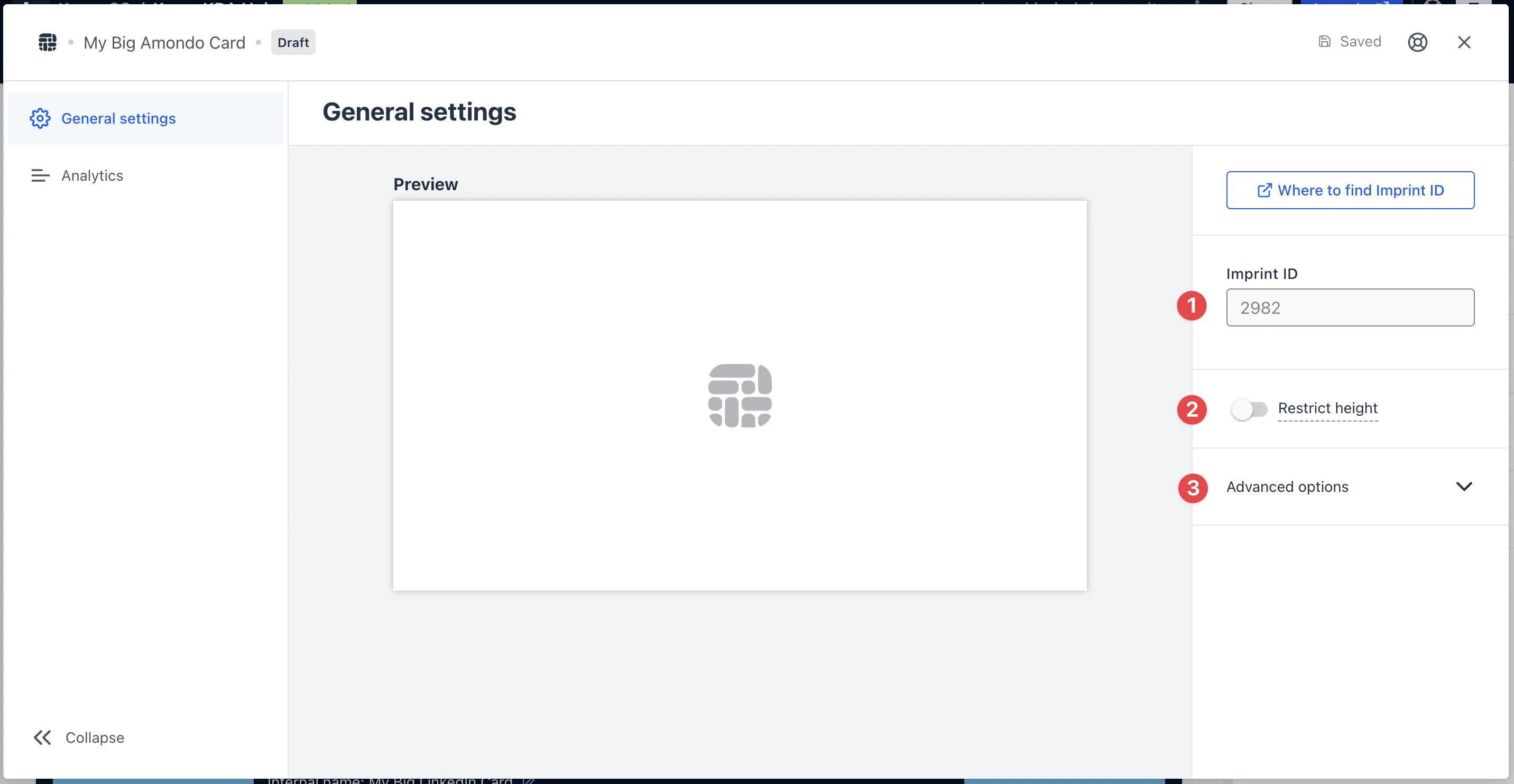
-
(1) Get the Imprint ID and paste it in here and a preview will appear on the left.
Finding the Imprint ID
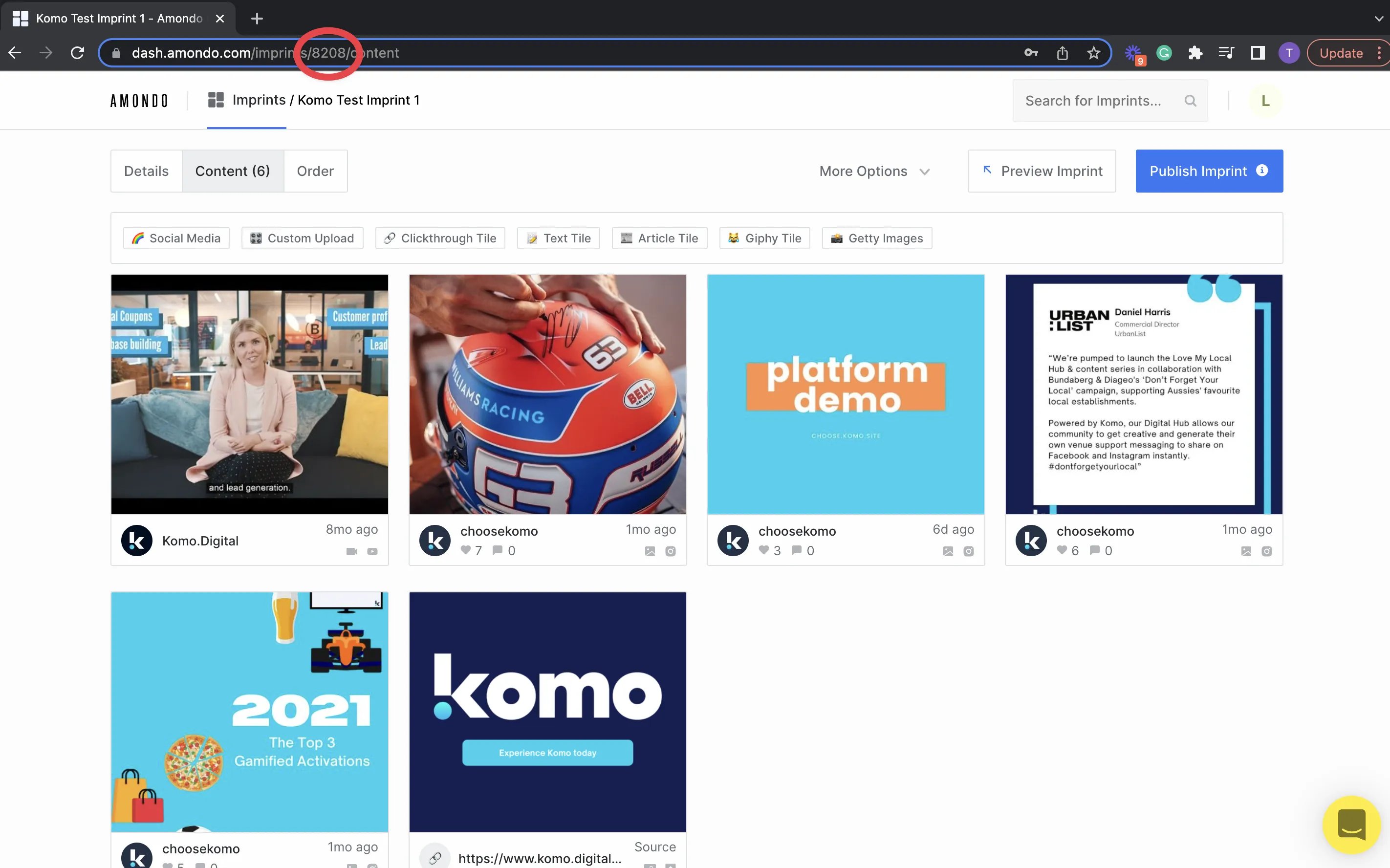
To find the Amondo’s Imprint ID simply copy the number from the Amondo Imprint URL, otherwise you can find it in the Imprint SDK Generator.1Start by going to your Imprints list and click on the imprint to open it up
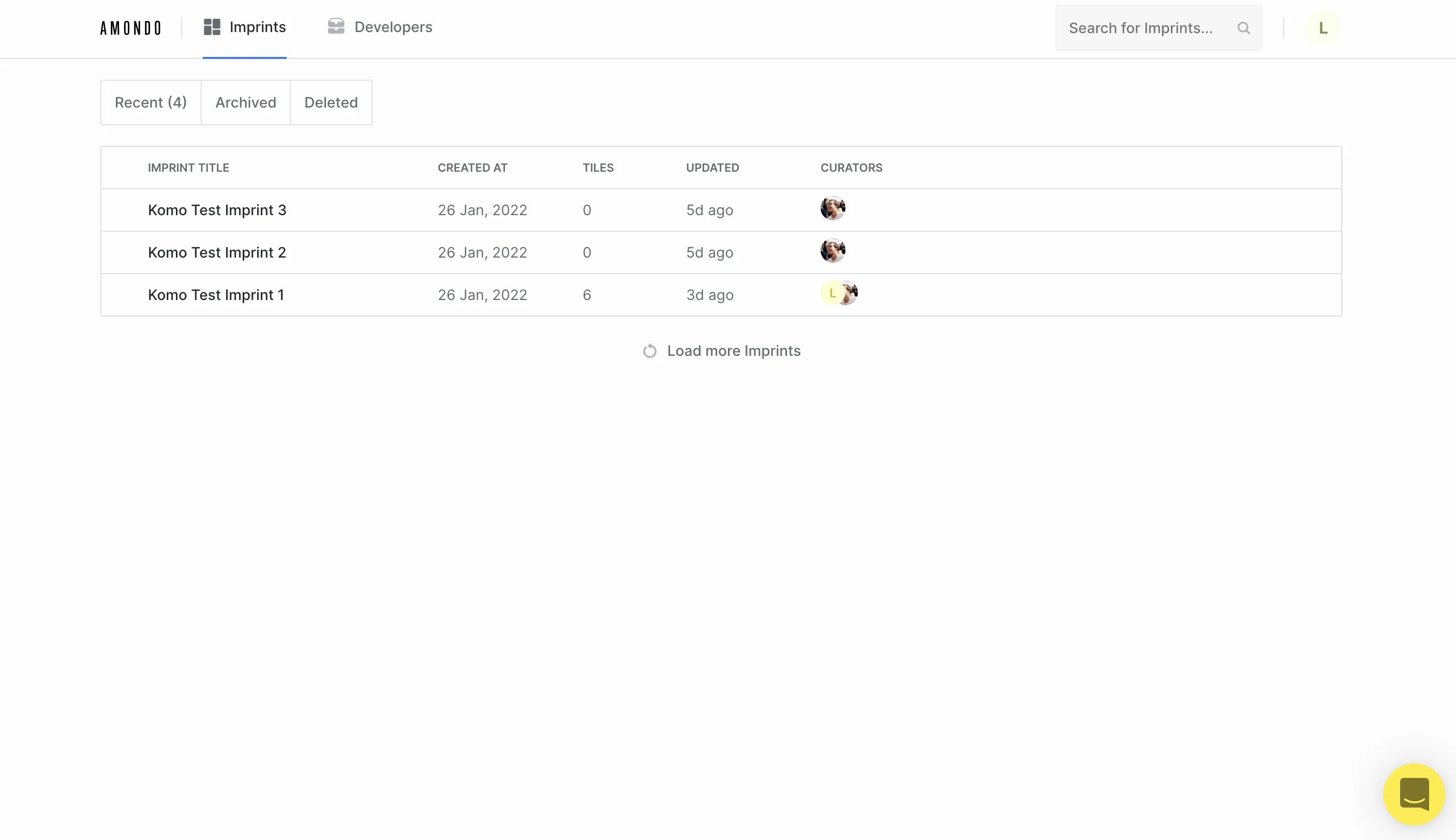 2
2Copy the Imprint ID which is the 4 digits located in the URL bar
 3
3Paste the Imprint ID in the box
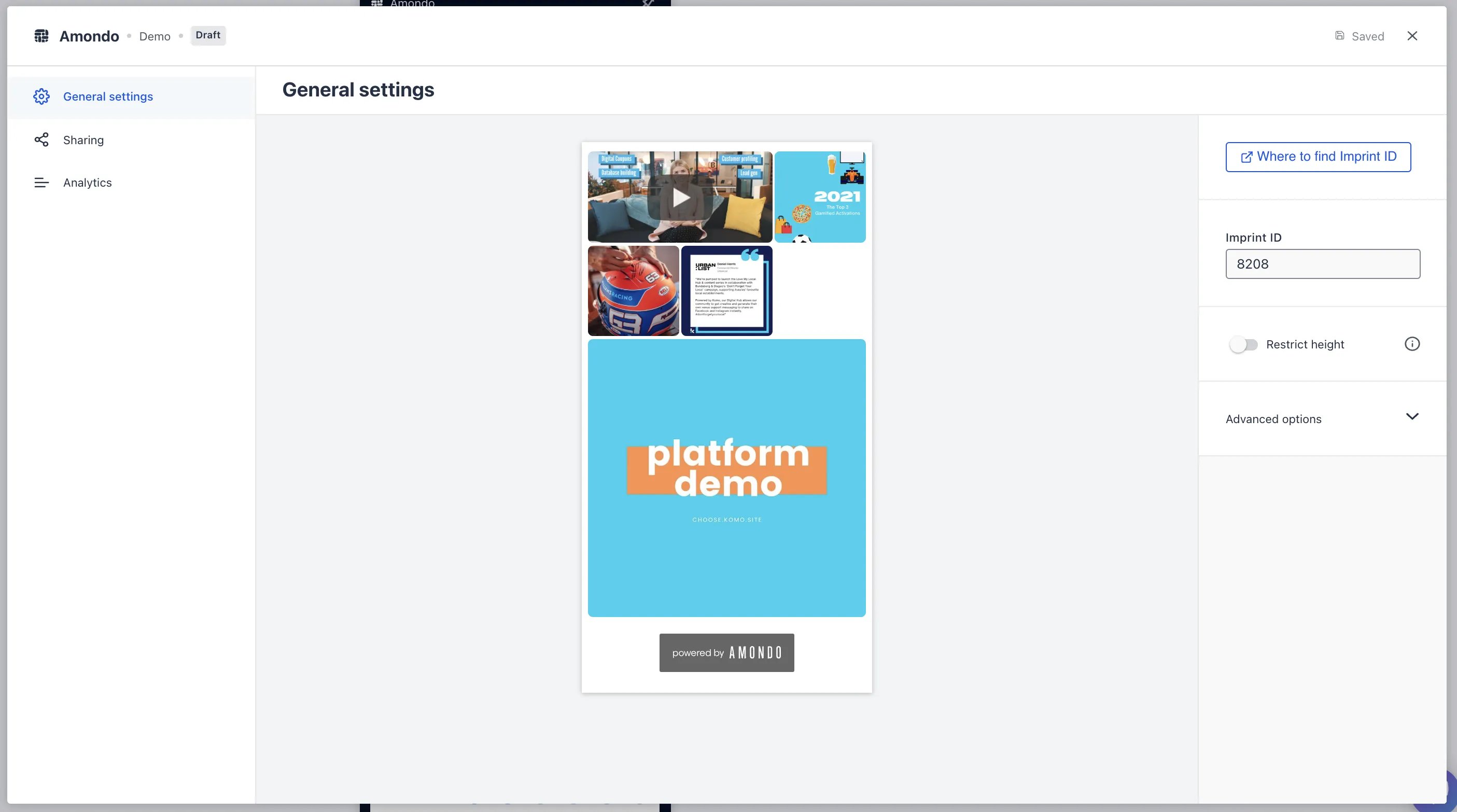
- (2) Toggling this option on allows you to restrict the height of your Amondo. If you do decide to use this feature a “See More” CTA bar will appear at the bottom of card
-
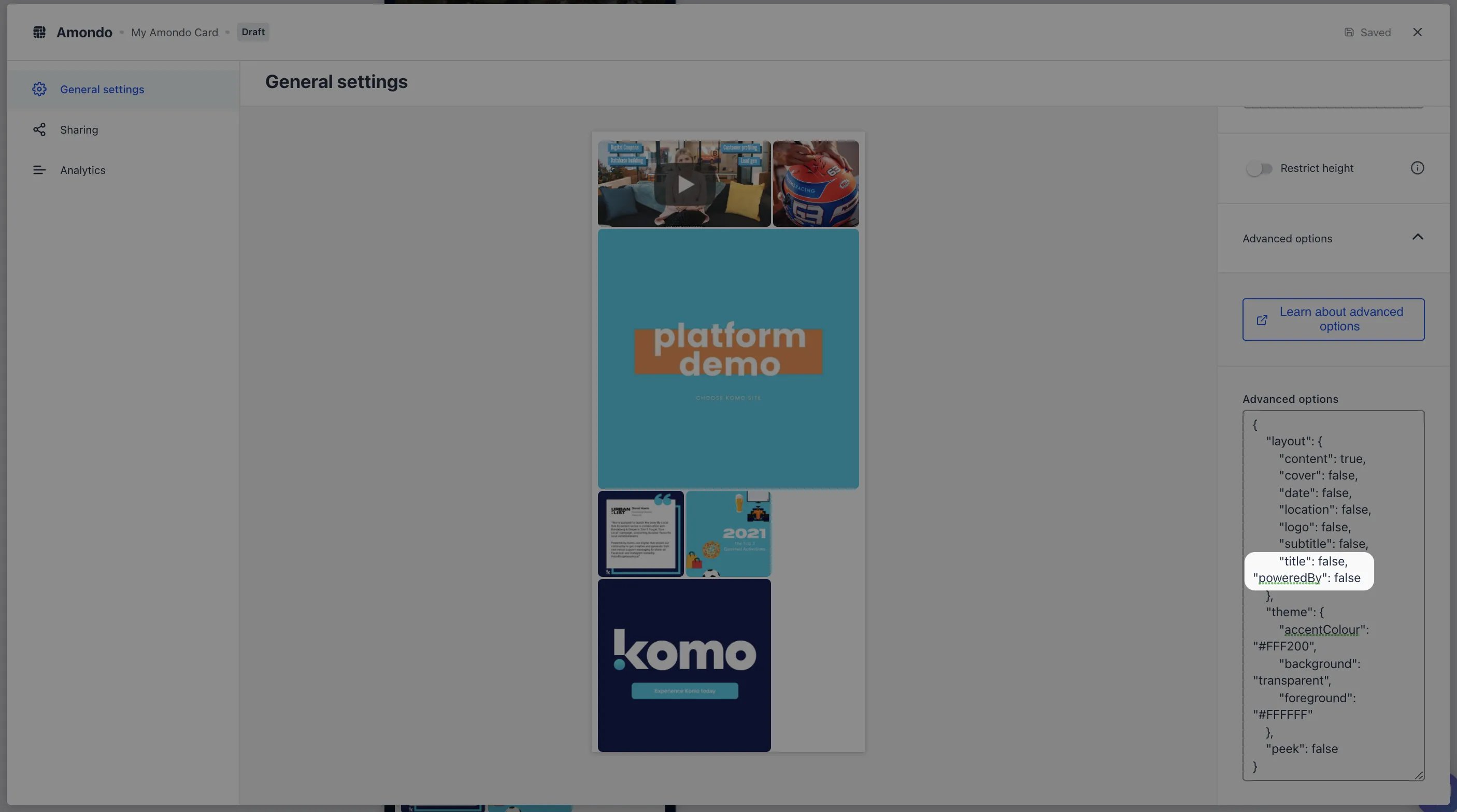
(3) Under advanced options you can further customize your Amondo. Click here for an in-depth breakdown of these options
In the Advanced options, placing a comma at the end of the title option and entering “poweredBy”: false below it will hide the powered by Amondo at the bottom of the card
Step 3: Publish your card
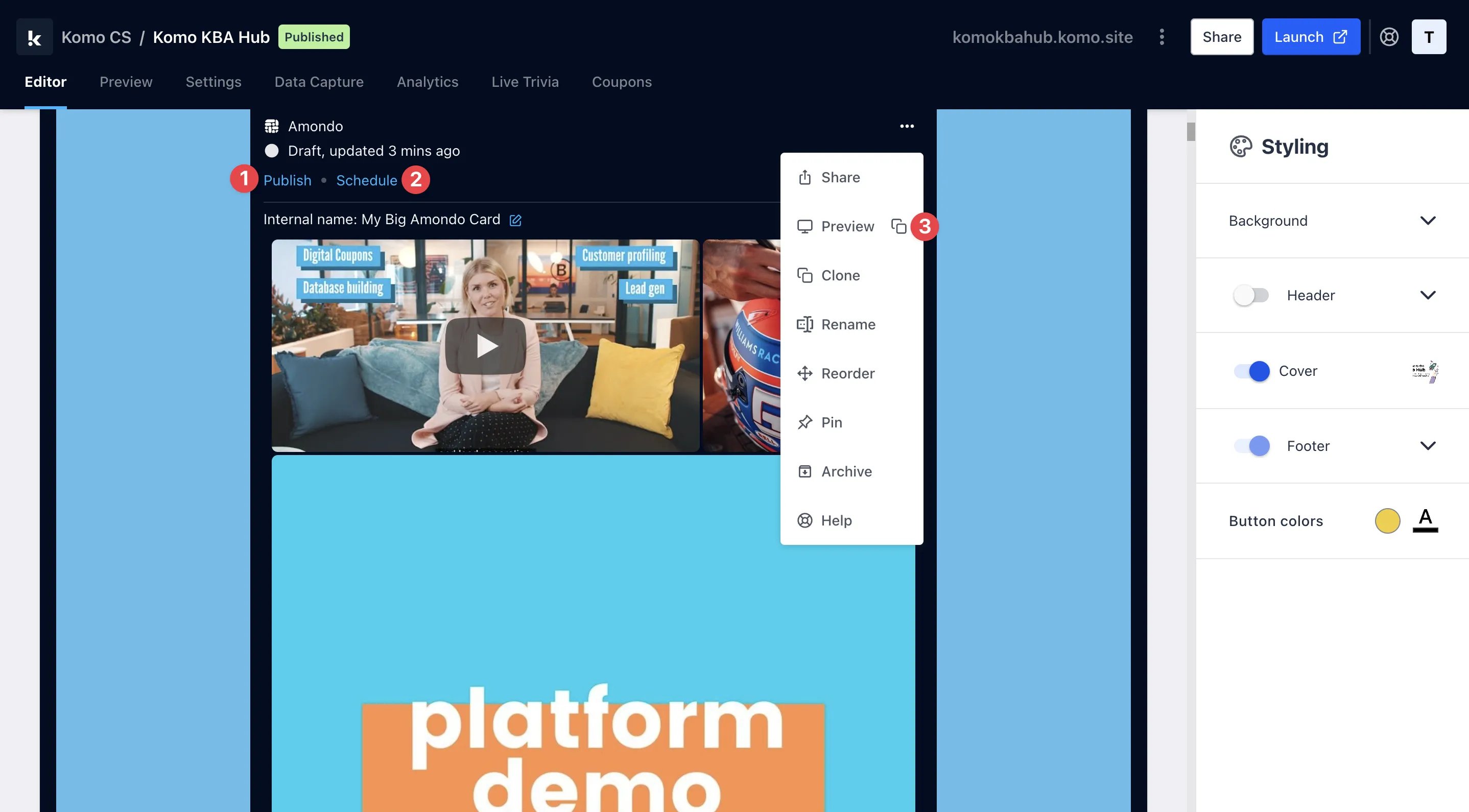
- (1)Publish your card manually and instantly for the world to see
- (2)Schedule your card to be published and unpublished at set dates and times
- (3) Click on … to Preview and interact with the card on the front end from a user’s perspective before publishing it