
What is it?
An HTML Card is like a mini web page that requires multiple file types to create the ad feature and ad display.How do I build one?
- Step 1: Add an HTML card to your Hub
- Step 2: Add your HTML code to your card
- Step 3: Publish your card
Step 1: Add an HTML card to your Hub
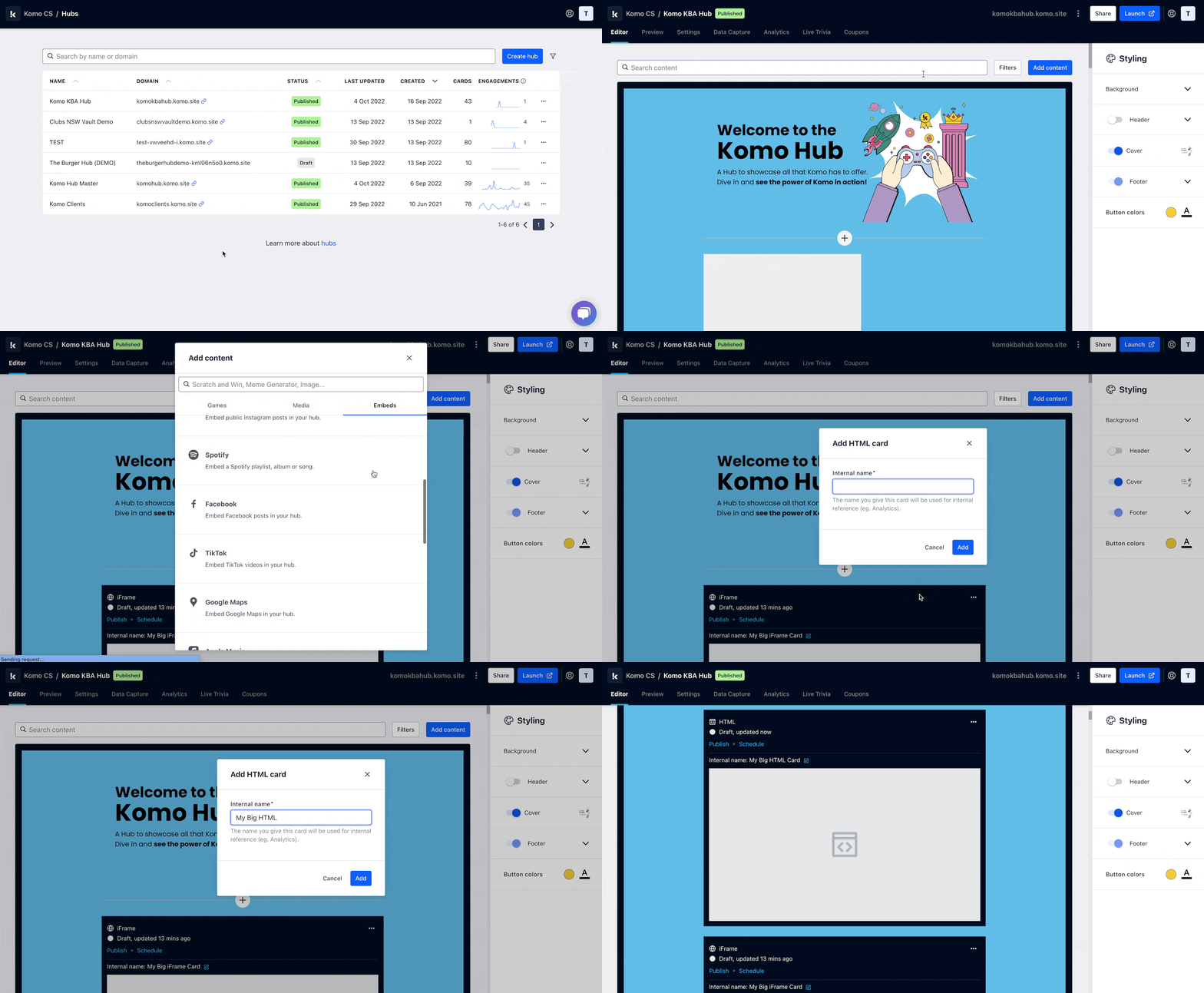
- Navigate to your Engagement Hub.
- Once there, click Add content, from here select Embeds and then HTML.
- You will then see your new card has been added to your Hub.
Step 2: Add your HTML code to your card
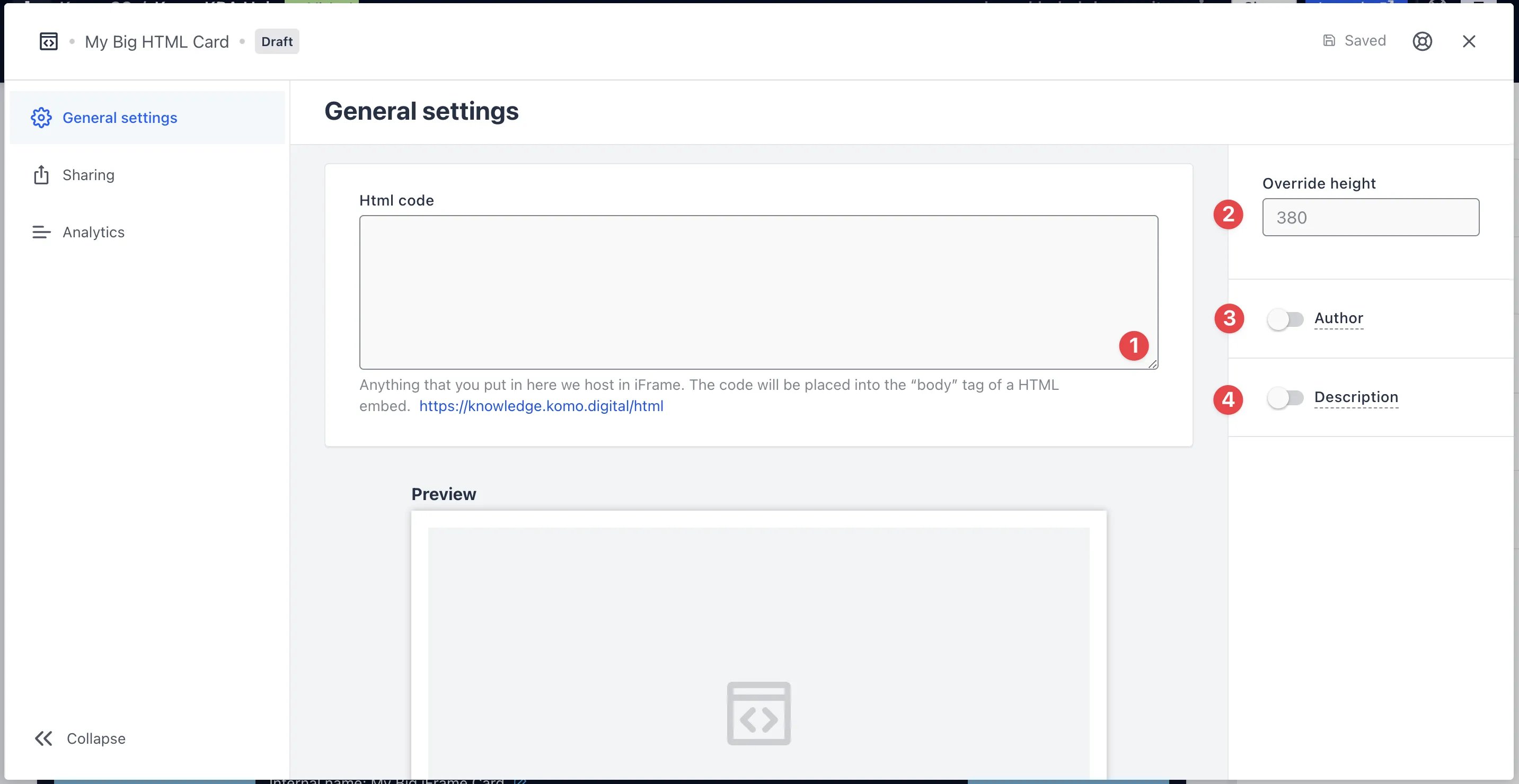
- Clicking on the HTML will open the editing module.
- (1) Paste your HTML code here and a preview will appear below. Anything placed in your HTML code is hosted in your iFrame.
- (2) Enter the HTML height of how you want to display it on the card.
- (3) You can add an author tag by displaying the brand or person who’s responsible for the card content.
- (4) Add a description to the card.
Step 3: Publish your card
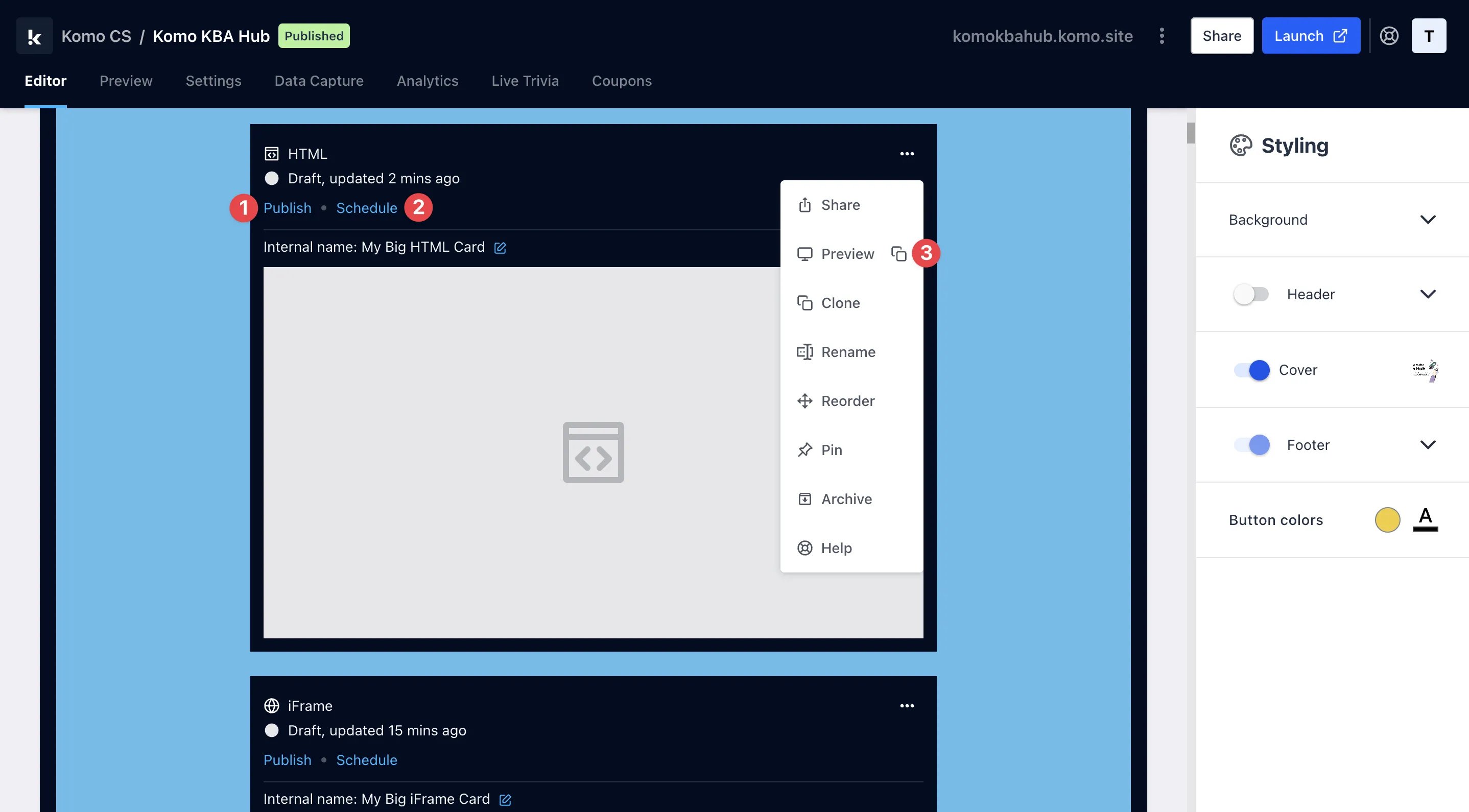
- (1) Publish your card manually and instantly for the world to see.
- (2) Schedule your card to be published and unpublished at set dates and times.
- (3) Click on … to Preview and interact with the card on the front end from a user’s perspective before publishing it. See how to test your card here.