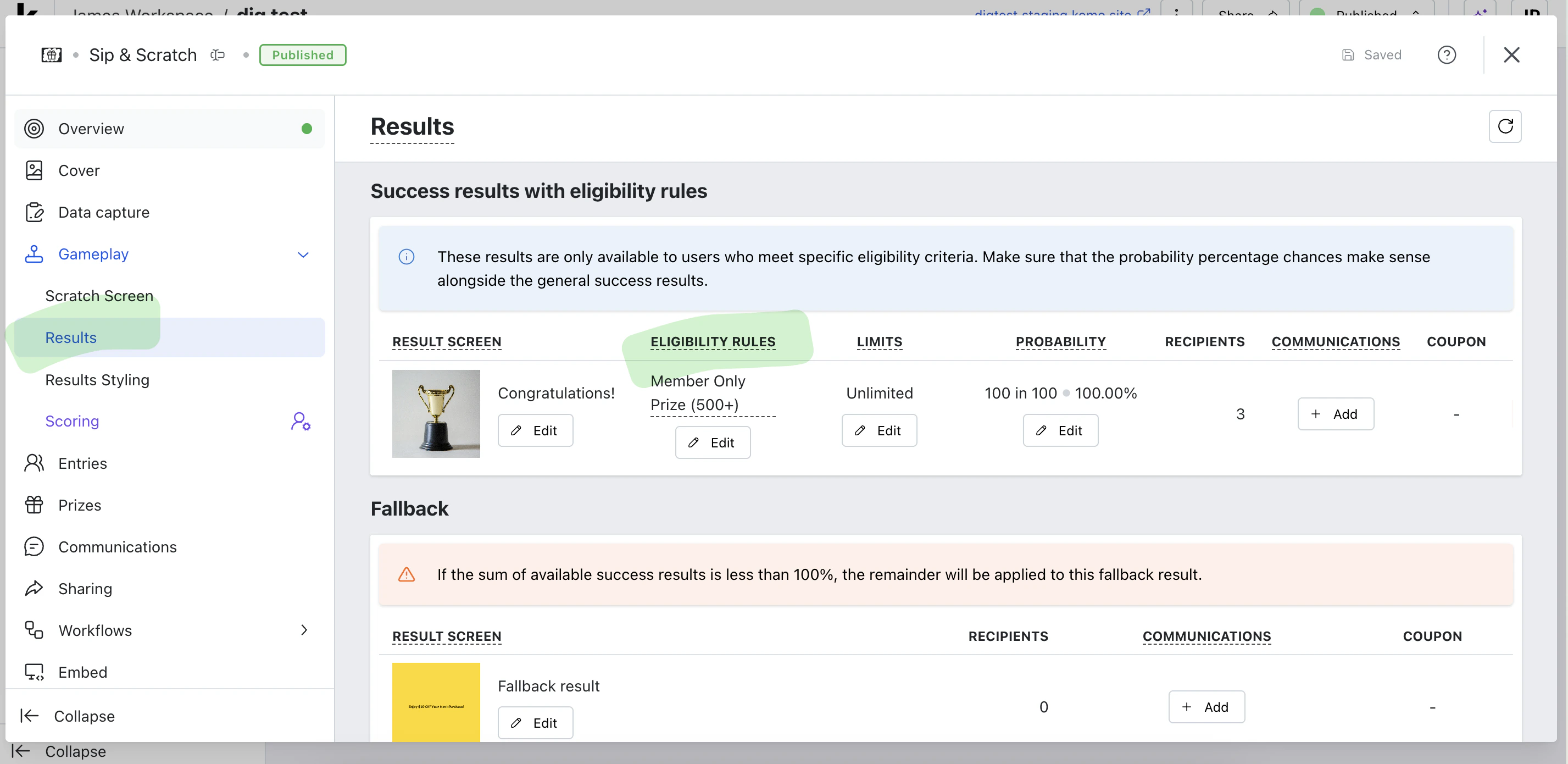
Eligibility Rules
Eligibility rules allow you to create sophisticated conditions that determine who can win prizes, participate in instant win opportunities, or access specific content. The system supports multiple rule types that can be combined using AND/OR logic to create complex eligibility criteria.Overview
Eligibility rules use a predicate-based system that evaluates various aspects of a contact’s profile and behavior. You can create rules based on:- Form field responses - Answers provided during data capture
- Contact properties - Stored contact information and attributes
- Subscription status - Communication subscription preferences
- List membership - Contact list associations
- Loyalty balance - Points and rewards program participation
Rule Types
Form Field Rules
Evaluate responses from data capture forms to determine eligibility. Use cases:- Award prizes based on quiz answers
- Target users who selected specific preferences
- Create conditional experiences based on form responses
Contact Property Rules
Use stored contact information to determine eligibility. Supported property types:- Text fields (name, address, custom text)
- Email addresses
- Phone numbers
- Numbers (age, income, custom numeric values)
- Boolean values (true/false flags)
- Date/time values
- Single and multiple choice options
- Achievements and avatars
- Loyalty program tiers
- Target users in specific age ranges
- Award location-based prizes
- Personalize experiences based on preferences
- Reward users with specific achievements
Subscription Rules
Evaluate communication subscription status for targeted messaging. Available operators:- Exists - Contact has the subscription (any status)
- Status is - Contact has specific subscription status (subscribed, unsubscribed, pending)
- Send exclusive offers to newsletter subscribers
- Re-engagement campaigns for unsubscribed contacts
- Segment communications by subscription preferences
List Membership Rules
Check if contacts belong to specific lists for targeted experiences. Available operators:- Has - Contact is a member of the specified list
- Does not have - Contact is not a member of the list
- Has any of - Contact belongs to at least one of the specified lists
- Has none of - Contact doesn’t belong to any of the specified lists
- Has all of - Contact belongs to all specified lists
- Does not have all of - Contact is missing membership in at least one list
- VIP experiences for premium customer lists
- Regional targeting based on location lists
- Exclude certain customer segments from promotions
Loyalty Balance Rules
Create rules based on loyalty program participation and point balances. Rule types:- Program balance - Total points across all campaigns in a loyalty program
- Campaign balance - Points from specific loyalty campaigns
- Exists - Contact participates in the loyalty program
- Numeric comparisons (greater than, less than, equal to, between)
- Existence checks
- Reward high-value loyalty members
- Create tier-based experiences
- Encourage program participation
Creating Eligibility Rules
Basic Setup
- Navigate to your Instant Win card
- Navigate to the Results section
- Click “Add Rule” to create your first condition
- Select the rule type (Form Field, Property, Subscription, List Membership, or Loyalty Balance)
- Configure the specific conditions
- Set the logical operator (AND/OR) for multiple rules